EasyManua.ls Logo

Bryant Housewise - User Manual

Bryant Housewise
8 pages
Print Icon
To Next Page IconTo Next Page
Loading...
Quick Start Guide
Additional Support
For owners manual,
registration and more
helpful information, visit
www.bryant.com/myhome.
For further assistance, please
contact Bryant Customer
Relations at 1-800-428-4326
from 8 am to 5 pm (EST)
weekdays or your local
Bryant dealer.
Wi-Fi
®
is a registered trademark of the Wi-Fi Alliance Corporation.
A Member of the United Technologies Corporation Family.
Stock Symbol UTX. ©Bryant Heating & Cooling Systems 10/2014
7310 West Morris Street, Indianapolis, IN 46231
Visit our website at www.bryant.com
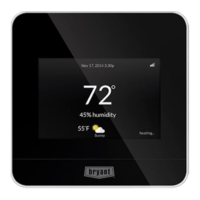
Welcome to the Bryant® Housewise Thermostat.
Just touch to begin.
1
2
3
4
5
6
7
8
9
Fan: Auto
Mode: Auto
Tue 1:14 pm
35% humidity
COOL TO
76
HEAT TO
68
Home
Per
schedule
Back
Menu
1 Fan Mode Change your fan mode.
2 Current Temperature Your home’s current temperature.
3 Touch-N-Go® feature Quickly manage your home’s
comfort and energy usage when you’re on the go.
4 Current Humidity Your home’s current humidity.
5 Information Button Helpful tips for each screen.
6 Wi-Fi® Signal Strength Connection to your home’s
wireless network.
7 Operating Mode Change the mode of your heating
or cooling equipment.
8 Temperature Set Points Use the arrows to adjust
your desired heating or cooling temperatures.
9 Menu button View more thermostat features
and preferences.
Question and Answer IconNeed help?

Do you have a question about the Bryant Housewise and is the answer not in the manual?

Summary

Wi-Fi Setup and Registration

Remote Access: Mobile and Web Portals

Customizing Comfort Settings and Schedules

Energy Usage Reports and Savings Tips

Additional Support and Contact Information

Overview

The Bryant Housewise Thermostat is a smart home device designed to manage heating and cooling systems, offering advanced features for comfort, energy efficiency, and remote control. It serves as a central control unit for your home's climate, allowing users to monitor and adjust temperatures, fan modes, and humidity levels.

Function Description:

The primary function of the Bryant Housewise Thermostat is to provide intelligent control over your home's heating and cooling equipment. It allows users to set desired temperatures, schedule operations, and monitor energy usage. The thermostat is designed to learn about your home's energy consumption patterns and track energy costs, ultimately aiming to decrease overall energy usage. Its smart features are enhanced when connected to a personal web portal, offering a more comprehensive and interactive experience.

Important Technical Specifications:

While specific technical specifications like dimensions, power requirements, or communication protocols (beyond Wi-Fi) are not detailed in this quick start guide, the device prominently features Wi-Fi® connectivity. This allows it to connect to your home's wireless network, enabling remote access and data synchronization with the Bryant web portal and mobile applications. The thermostat's interface includes a digital display that shows current temperature, fan mode, operating mode, and humidity. It also features touch-sensitive controls for navigation and adjustments.

Usage Features:

The Bryant Housewise Thermostat offers a range of user-friendly features:

  • Intuitive Interface: The device boasts a clear, digital touchscreen interface with easily identifiable icons and text. Key information like current temperature, fan mode, and operating mode are prominently displayed.
  • Fan Mode Control: Users can change the fan mode to suit their preferences, optimizing air circulation.
  • Current Temperature Display: The thermostat clearly shows your home's current temperature, providing immediate feedback on the indoor climate.
  • Touch-N-Go® Feature: This allows for quick management of your home's comfort and energy usage, particularly useful when you're on the go. This feature likely offers pre-set modes or quick adjustments for common scenarios.
  • Current Humidity Display: The thermostat displays your home's current humidity, providing a more complete picture of indoor air quality and comfort.
  • Information Button: A dedicated "i" button provides helpful tips for each screen, guiding users through the device's functionalities.
  • Wi-Fi® Signal Strength Indicator: This feature shows the connection strength to your home's wireless network, ensuring reliable remote access.
  • Operating Mode Control: Users can easily change the mode of their heating or cooling equipment (e.g., Heat, Cool, Auto), adapting to different seasons or preferences.
  • Temperature Set Points: Adjustable arrows allow users to precisely set their desired heating or cooling temperatures.
  • Menu Button: A "Menu" button provides access to more thermostat features and preferences, offering deeper customization.
  • Remote Access: Through Wi-Fi® connectivity, the thermostat can be accessed from anywhere using a mobile app (available for iOS and Android™ devices) or a personal web portal (bryant.com/myhome). This enables users to customize preferences, track smart features, and monitor energy costs remotely.
  • Comfort Profiles: Users can dial in their preferred comfort level by adjusting temperature, fan, and humidity settings. The system allows for setting up standard profiles like "home," "away," "sleep," and "wake," or creating custom profiles to match individual lifestyles.
  • Schedules: A guided scheduling feature helps users customize a schedule that meets their desired comfort level and lifestyle. This allows for automated adjustments throughout the day or week.
  • Energy Reports and Tips: The thermostat tracks energy costs and learns about your home's energy usage to help decrease it. After about one month of use, it generates an "energy report" to show system performance. Daily runtime reports are also available via the web portal.

Maintenance Features:

While the guide doesn't explicitly detail maintenance features for the device itself, the emphasis on Wi-Fi® connectivity and remote access suggests that software updates and diagnostics could potentially be managed remotely. The "Information Button" and "Menu" options likely provide access to system status and troubleshooting information. The availability of customer support (1-800-428-4326) and a comprehensive owner's manual (accessible via www.bryant.com/myhome) further support user maintenance and problem-solving. The system's ability to track energy usage and provide reports can also be considered a form of proactive "maintenance" by alerting users to potential inefficiencies in their HVAC system's operation.

In summary, the Bryant Housewise Thermostat is a sophisticated, Wi-Fi-enabled smart thermostat designed to offer comprehensive control over home climate, enhance energy efficiency through intelligent learning and reporting, and provide convenient remote access via mobile apps and a web portal.

Bryant Housewise Specifications

General IconGeneral
BrandBryant
ModelHousewise
CategoryThermostat
LanguageEnglish

Related product manuals