EasyManua.ls Logo

Bryant Preferred T6-PRH01-B - User Manual

Bryant Preferred T6-PRH01-B
92 pages
Print Icon
To Next Page IconTo Next Page
Loading...
Installation Instructions
T6--PRH01--B, T6--NRH01--B
Preferredt Series
Thermidistat
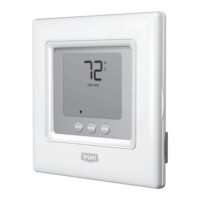
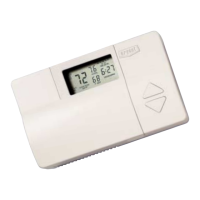
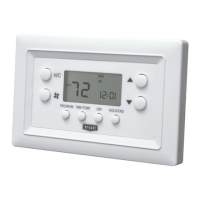
A07045 A07044
Programmable Control Non--Programmable Control
Designed and Assembled
in the USA.
NOTE: Read the entire instruction manual before starting the installation.
US patents: US7287709 B2, US20080147242 A1, USD582800 SI, US20060165149 A1,
US6956463 B2.

Questions and Answers

  • K
    Karen OneillAug 7, 2025
    Why Bryant Thermidistat Control cannot properly read outdoor temperature?
    • C
      Christopher FosterAug 7, 2025
      If your Bryant Thermidistat Control cannot properly read the outdoor temperature, and the display indicates “----” in the outdoor temperature location, it may be because Option 06, 08, 09, 22, 23 or 44 is not set to OFF.
  • S
    Susan BakerAug 13, 2025
    How to troubleshoot a Bryant Preferred T6-PRH01-B display module that doesn't power up?
    • N
      Norman BishopAug 13, 2025
      If the display module of your Bryant Thermostat doesn’t power up, first check the Rc/Rh and C terminals for 24VAC. If 24VAC is present, check the voltage between Vg and V+, which should be approximately 12-20VDC. If voltage is present, verify the wiring polarity is correct, as the display won't power up if the polarity is reversed.
  • S
    Stephanie HernandezAug 19, 2025
    What to do if Bryant Thermidistat Control’s internal memory fails?
    • J
      Janet BaldwinAug 19, 2025
      If the internal memory of your Bryant Thermidistat Control fails, the suggested solution is to replace the Thermidistat Control.
  • K
    Kayla ParkerAug 25, 2025
    Why dashes appear for Option 01 in Bryant Thermostat config and during reboot?
    • R
      Ryan WalkerAug 25, 2025
      If dashes appear for Option 01 in the configuration and during reboot of your Bryant Thermostat, it could be due to the red pigtail being wired to Rc or Rh and the black pigtail being wired to C. To resolve this, remove the two-wire pigtail and connect it to the V+ and Vg terminals.
  • O
    oolsonAug 31, 2025
    Why humidity value is shown as dashes in Bryant Preferred T6-PRH01-B humidity menu?
    • B
      Brenda GutierrezAug 31, 2025
      The humidity value on your Bryant Thermostat will be displayed as “----” when viewed from the humidity menu if both Humidify and Dehumidify have been set to OF. No E5 error code will be shown on the display.

Bryant Preferred T6-PRH01-B Specifications

General IconGeneral
BrandBryant
Product TypeThermostat
ModelT6-PRH01-B
Wi-Fi EnabledYes
Control MethodTouchscreen
DisplayColor touchscreen
Energy SavingsYes
ConnectivityWi-Fi
Programming7-day programmable
TypeSmart Thermostat
CompatibilityMost HVAC systems
ControlRemote via App
Power24 VAC

Related product manuals