EasyManua.ls Logo

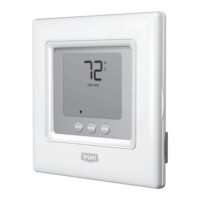
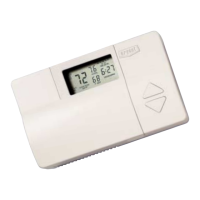
Bryant Programmable Thermidistat - User Manual

Bryant Programmable Thermidistat
44 pages
Print Icon
To Next Page IconTo Next Page
Loading...
Programmable
Thermidistat
Control
Homeowner’s
Guide
Easy-To-Use, Trusted
Comfort.
Congratulations! As the owner
of a new Thermidistat
Control,
you have made a commitment to
enjoying enhanced home comfort.
This Thermidistat Control provides
reliable and consistent indoor
temperatures with the added
comfort of proper humidification.
Combining the brains of a computer
and the simplicity of a garage door
opener in an attractively designed
package, Bryant makes enjoying
the comfort of your home easier
than ever. Just follow the instruc-
tions in this guide, then relax
knowing your Thermidistat Control
is in command of your comfort.
Copyright 1997 Bryant Heating and Cooling Systems
Form: OM17-24 Replaces: OM17-16 Printed in the U.S.A. 9-98 Catalog No. 13TS-TA10
Before purchasing this appliance, please read the important energy
cost and efficiency information available from your dealer.
Manufacturer reserves the right to discontinue, or change at any time,
specifications or designs without notice and without incurring obligations.
COMFORT CONTROL
COMFORT CONTROL
7310 West Morris Street, Indianapolis, IN 46231
Question and Answer IconNeed help?

Do you have a question about the Bryant Programmable Thermidistat and is the answer not in the manual?

Bryant Programmable Thermidistat Specifications

General IconGeneral
BrandBryant
ModelProgrammable Thermidistat
CategoryThermostat
LanguageEnglish

Summary

PROGRAMMING THE THERMIDISTAT CONTROL

Setting the current day

Procedure to set the current day of the week on the Thermidistat Control.

Setting the current time

Procedure to set the current time on the Thermidistat Control.

Setting mode operation

How to select the operating mode (OFF, HEAT, COOL, AUTO, EHEAT) of the Thermidistat Control.

Setting the fan operation

How to set the fan operation to ON or AUTO mode.

Setting your comfort schedule

Steps to program the Thermidistat Control's comfort schedule.

Copying a daily schedule

Method to copy a programmed day's schedule to other days.

Setting the humidification level

Procedure to adjust the humidify settings on the Thermidistat Control.

Setting the dehumidification level

Procedure to adjust the dehumidify settings on the Thermidistat Control.

Setting the cool to dehumidify function

How to configure the 'cool to dehumidify' function for moderate dehumidification.

OPERATING THE THERMIDISTAT CONTROL

Changing your comfort schedule

How to modify an existing programmed comfort schedule.

Overriding your comfort schedule

Methods to temporarily override programmed temperature settings.

Clean filter feature

How the Thermidistat Control indicates when the air filter needs attention.

Vacation feature setup

How to store and recall custom temperature/humidity settings for vacation.

Vacation feature operation

How to activate and deactivate vacation mode for temperature and humidity.

AUTO CHANGEOVER

SMART RECOVERY

WARRANTY

Related product manuals