EasyManua.ls Logo

Bryant T6?PRH?A - User Manual

Bryant T6?PRH?A
88 pages
Print Icon
To Next Page IconTo Next Page
Loading...
Installation Instructions
T6PRHA, T6NRHA
PREFERREDt SERIES
THERMIDISTAT
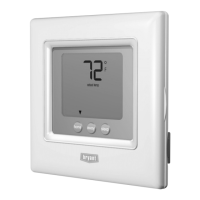
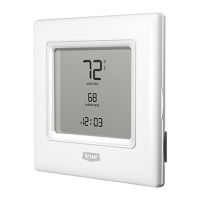
A07045 A07044
Programmable Control Non-Programmable Control
Designed and Assembled
in the USA.
NOTE: Read the entire instruction manual before starting the installation.
US patents: US7287709 B2, US20080147242 A1, USD582800 SI, US20060165149 A1, US6956463 B2.

Questions and Answers

  • K
    kmartinAug 1, 2025
    Why does my Bryant T6?PRH?A Thermostat Control show '??' for the outdoor temperature?
    • A
      Austin Thomas IIIAug 1, 2025
      If the Bryant Thermostat Control is unable to accurately measure the outdoor temperature, the display will show “??” in the section where the outdoor temperature is usually displayed.
  • H
    hayesvirginiaAug 8, 2025
    What to do if my Bryant Thermostat Control cannot properly read humidity?
    • W
      Wendy DawsonAug 8, 2025
      If your Bryant Thermostat Control is unable to properly read humidity, it is recommended to replace the Thermidistat Control.
  • N
    newmanbrendaAug 16, 2025
    How to troubleshoot a Bryant T6?PRH?A display module that doesn't power up?
    • J
      Jennifer GuerreroAug 16, 2025
      If the Bryant Thermostat display module fails to power on after applying power, several checks are recommended. First, verify the presence of 24VAC at the Rc/Rh and C terminals. Next, check the voltage between Vg and V+. Also, ensure that the wiring polarity is correct. Finally, if a red pigtail is wired to Rc or Rh and a black pigtail to C, remove the two-wire pigtail and connect it to the V+ and Vg terminals.
  • J
    James EstradaAug 22, 2025
    What to do if Bryant Thermostat Control’s internal memory fails?
    • W
      william00Aug 23, 2025
      If the internal memory of your Bryant Thermidistat Control fails, the suggested solution is to replace the Thermidistat Control.

Summary

Safety Considerations

Understanding Safety Signal Words

Explains DANGER, WARNING, CAUTION, and NOTE signal words used with safety symbols.

Introduction to Thermidistat Control

Thermidistat Control Features Overview

Details features of programmable and non-programmable versions, including connectivity and memory.

Installation

Installation Considerations

Discusses power, wiring, model types, humidify connections, and sensor requirements.

Thermidistat Control Location

Provides guidance on ideal and unsuitable locations for mounting the Thermidistat Control.

Two-Piece Thermidistat Installation

Step-by-step guide for installing the control in a two-piece configuration.

Single-Piece Thermidistat Installation

Step-by-step guide for installing the control in a single-piece configuration.

Wiring Diagrams and Connections

Illustrates connections between the Thermidistat Control, Fan Coil, and Heat Pump.

Set Thermidistat Control Configuration

Configuration Options Summary

Lists summary of configuration options available for the Thermidistat Control.

Configuration Option 01: Equipment Type

Selects the type of HVAC equipment the Thermidistat Control will operate.

Configuration Option 19: Dry Contact

Configures the dry contact for specific functions like humidification or dehumidification.

Configuration Option 33: Installation Type

Compensates for heat generated by electronics based on installation type.

System Start-Up and Checkout

Installer Test Mode

Enables testing of heating, cooling, and fan operation without delays or setpoint adjustments.

Final Settings and Schedules

Guides on setting mode, and default Energy Star schedules for programmable models.

Troubleshooting

Power-Up and Display Issues

Addresses display not powering up, voltage checks, and polarity issues.

Troubleshooting Error Codes

Lists and explains error codes (E1, E3, E4, E5) and their meanings.

Bryant T6?PRH?A Specifications

General IconGeneral
Wi-Fi ConnectivityYes
DisplayTouchscreen
GeofencingYes
Remote AccessYes
Energy ReportsYes
Humidity ControlYes
Filter Change ReminderYes
CategoryThermostat
Mobile AppYes
Voice ControlYes
ProgrammableYes
Power24 VAC

Related product manuals