OPERATING THE THERMIDISTAT CONTROL
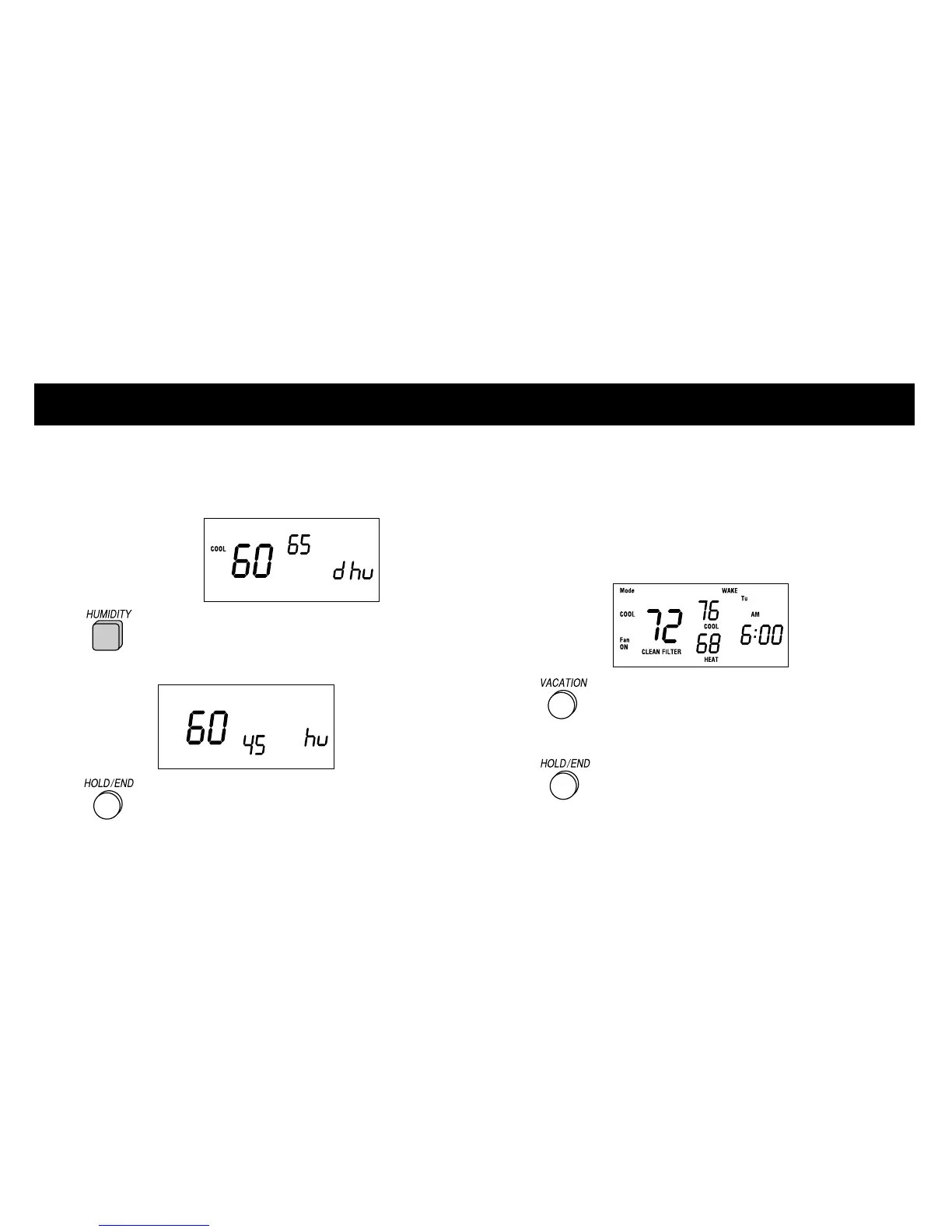
The current indoor humidity (large number) is
displayed along with the humidify or
dehumidify settings (small number).
2 Press the HUMIDITY button again
to view the other setting.
3 Press the HOLD/END button.
Clean filter feature
Your Thermidistat Control reminds you
when it’s time to change or clean your
filter by displaying the CLEAN FILTER
indicator.
1 Press the VACATION and
HOLD/END buttons
simultaneously after you have changed or
cleaned your filter to restart the timer.
20













 To Next Page