PROGRAMMING THE THERMIDISTAT CONTROL
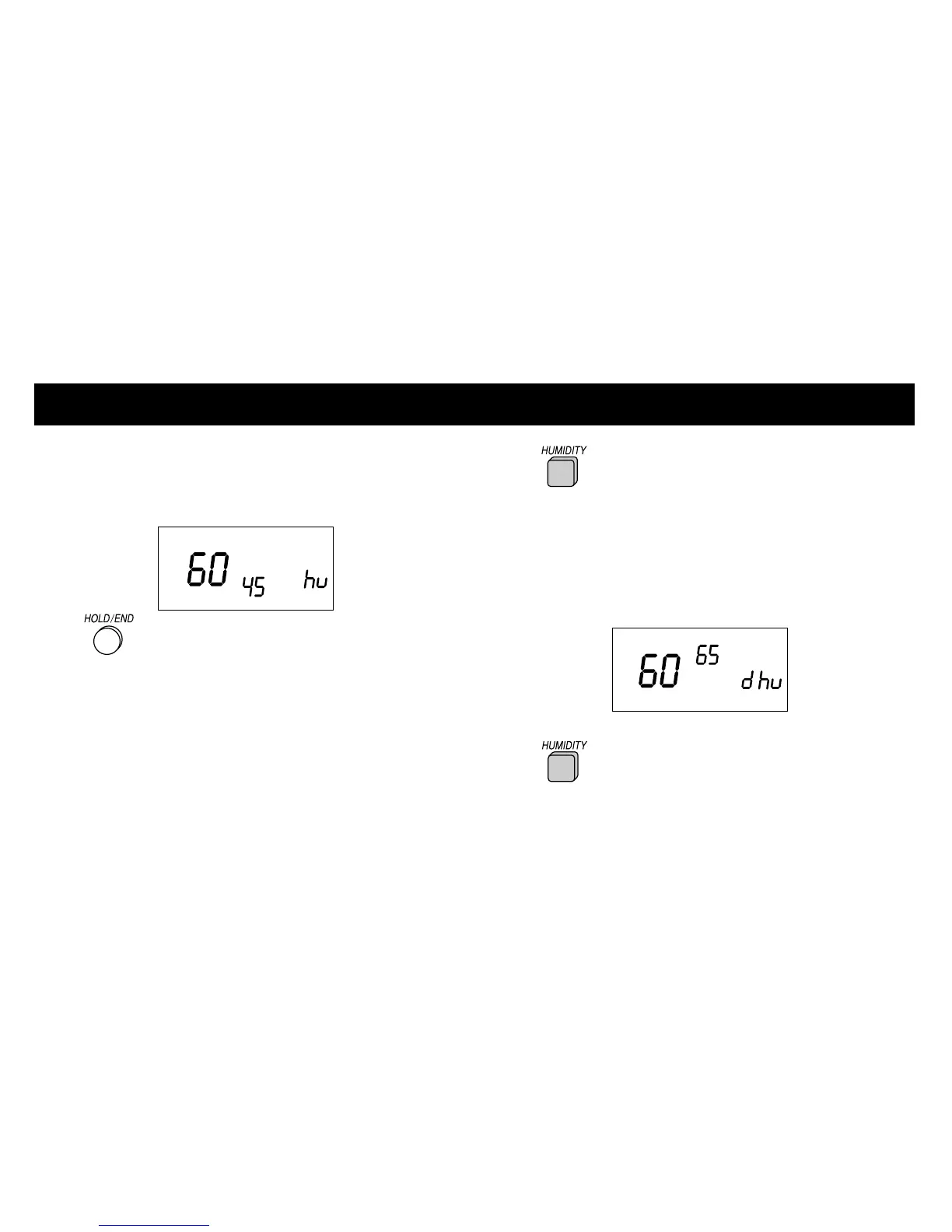
e. Humidify setting only displayed —
humidify setting does not change according
to outdoor temperature.
4 Press the HOLD/END button to
exit the humidity programming mode.
Setting the dehumidification level
NOTE: This optional function is for use with
variable capacity equipment only.
1 Press the HUMIDITY button to
enter the humidification programming mode.
The current indoor humidity (large number) is
displayed along with the humidify (hu) or
dehumidify (dhu) setting indicator and the
current dehumidify set point (small number).
If the hu indicator is displayed, press the
HUMIDITY button again to display
the dhu indicator.
NOTE: To change between humidify (hu) and
dehumidify (dhu), press the HUMIDITY button.
13













 To Next Page