OPERATING THE THERMIDISTAT CONTROL
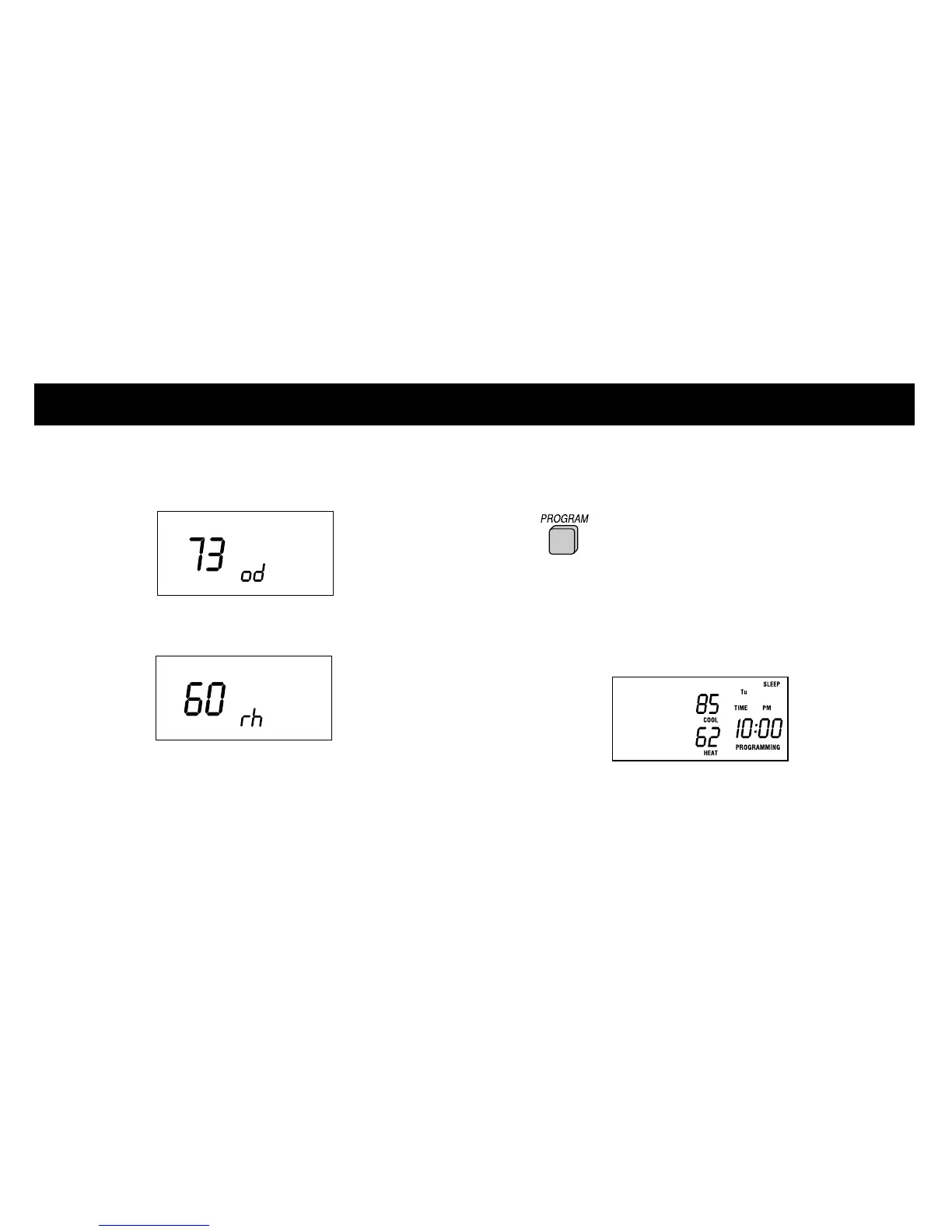
2 The outdoor temperature will appear on
the display.
Then, the indoor humidity will be displayed.
NOTE: If 2 dashes (--) appear, your Thermidistat
Control does not include the outdoor air
temperature sensor or the sensor is not working
properly. Check with your dealer if you are unsure.
Checking current programmed time
and temperature settings
1 Press the PROGRAM button.
2 The current time and temperature settings
for the current day and time period are
displayed for you to check.
18













 To Next Page