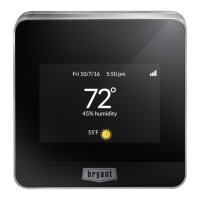
14
2. Route wires through large hole in mounting base. Level mounting base
against wall (for aesthetic value only—Display Module need not be
leveled for proper operation) and mark wall through 4 mounting holes.
To avoid unintended bending of wall plate plastic, use all 4 screws and
anchors. See Fig. 6.
A07165
Fig. 6 − Backplate Mounting
3. Drill two 3/16−in. mounting holes in wall where marked. Thermidistat
Control may be mounted to a standard junction box, if desired. Hole pat-
tern on Thermidistat Control mounting base matches junction box mount-
ing holes.
4. Secure rear plastic mounting base to wall with 4 screws and anchors
provided. To avoid unintended bending of wall plate plastic, use all 4
screws and anchors. Make sure all wires extend through hole in mounting
base.
5. Adjust length and routing of each wire to reach proper connector block
and terminal on mounting base with 1/4−in. (6 mm) extra wire.


 To Next Page
 Loading...