17
MEMORY FUNCTIONS
The MULTICAREIN device stores up to 500 test results for all analytes, letting you review them from the
most recent 1 to the oldest 500.
To recall memory data it is necessary to
insert the data-chip of the analyte you want
to recall the memories.
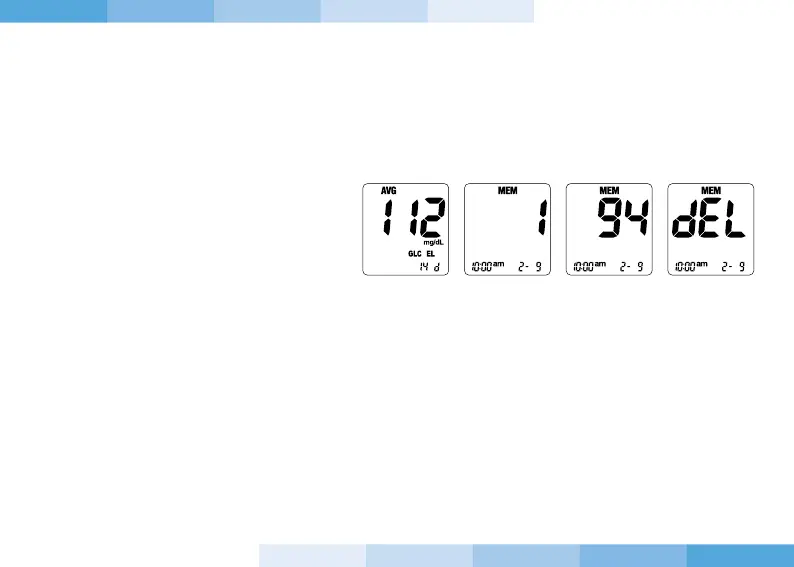
1. After turning on the device press and release the button “-” or “+”, the device will enter the MEMORY and
the average of the results (AVG) will be displayed.
2. Hold on the button “+” the number 1 will be displayed which refers to the most recent result. When you
release the button, the stored result will be displayed.
3. Pressing again the button “+”, the number 2 will be displayed.
4. Press the button “-” together with the power button for half second to delete a single stored result; after
deleting a single result “deL” will be displayed.
5. Press the button “-” together with the power button for 5 seconds to delete all results stored in
memory; After deleting all results “Clr” will be displayed.


 To Next Page