18
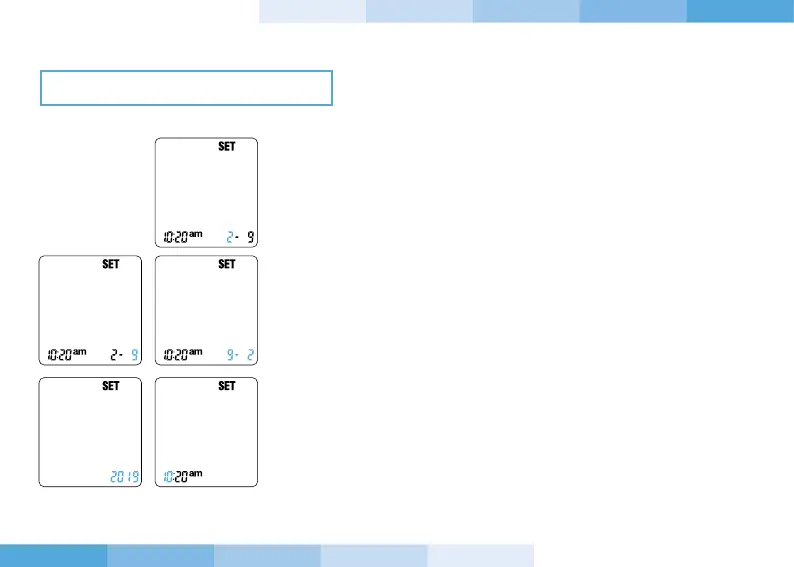
1. With the device on, press the power button for 3 seconds to enter
the setting (SET).
2. Press and release the “-” or “+” button until reaching the correct
month. Confirm the setting by pressing and releasing the power
button.
3. Press and release the “-” or “+” button until reaching the correct day.
Confirm the setting by pressing and releasing the power button.
4. Press and release the “-” or “+” button to modify the date format
(mm-dd) or (dd-mm). Confirm the wanted format by pressing and
releasing the power button.
5. Press and release the “-” or “+” button to modify the year, until
reaching the correct year. Confirm the setting by pressing and
releasing the power button.
6. Press and release the “-” or “+” button until reaching the correct
hour. Confirm the setting by pressing and releasing the power
button.
CHANGING THE SETTINGS
GENERAL SETTINGS


 To Next Page