19
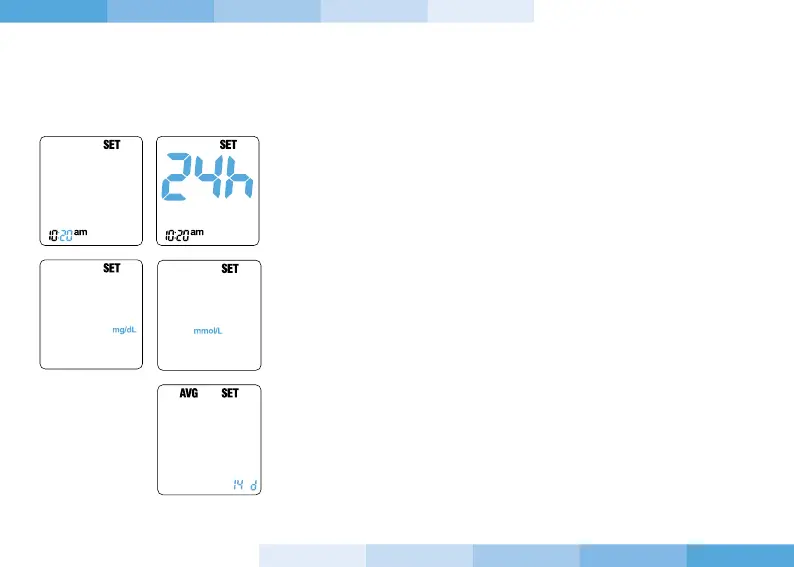
7. Press and release the “-” or “+” button until reaching correct
minutes. Confirm the setting by pressing and releasing the power
button.
8. Press and release the “-” or “+” button to modify the time format
12h or 24h. Confirm the wanted format pressing and releasing the
power button.
9. Press and release the “-” or “+” button to modify the unit of
measurement, mg/dL or mmol/L. Confirm the wanted unit of
measurement by pressing and releasing the power button.
10. Press and release the “-” or “+” button to modify the number
of days you want the average of results (0,7,14,21,28 days - “0”
means that the device will not show any average when recalling
the memories. Confirm the setting by pressing and releasing the
power button.
IMPORTANT
When replacing the batteries, the setting of the device will end with
step 10 described above. Otherwise the setting of the device will
continue with the following steps.


 To Next Page