6
THE DEVICE
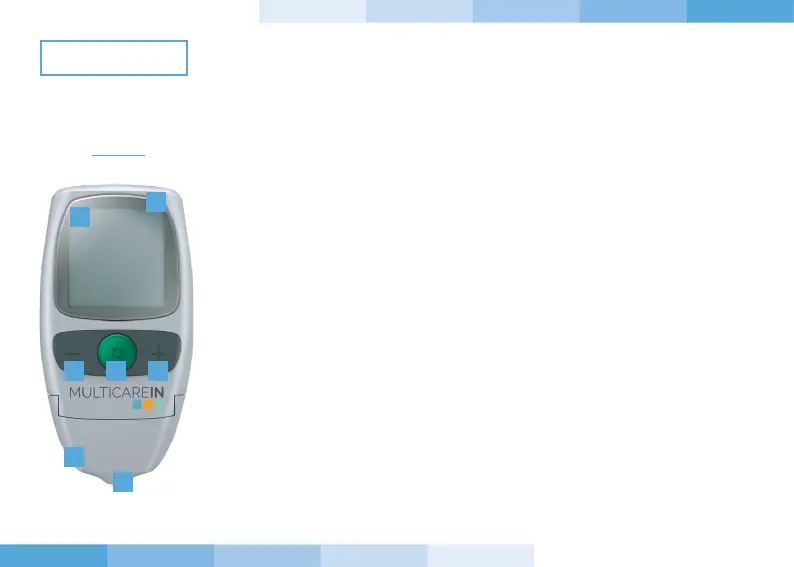
1. Display: shows test results, error messages and results stored in memory.
2. Power button, press this button to:
a. switch-on or switch-o the device;
b. enter the SETTINGS (SET) when the device is on;
c. confirm the SETTINGS.
3. “+” button, press this button to:
a. enter the MEMORY of the device;
b. recall results stored in the MEMORY of the device;
c. change parameters and values while setting.
4. “-” button, press this button to:
a. enter the MEMORY of the device;
b. recall results stored in the MEMORY of the device;
c. change parameters and values while setting;
d. delete the test results.
5. Test strip slot: insert the test strip here. When the test strip is inserted, the
device will turn on automatically.
6. PC connector:
a. Connector to transfer data from the device to a computer.
b. Connection with Biosys device.
7. Cover: open this part for cleaning the optical window.
6
1
4 2 3
7
5
FRONT


 To Next Page