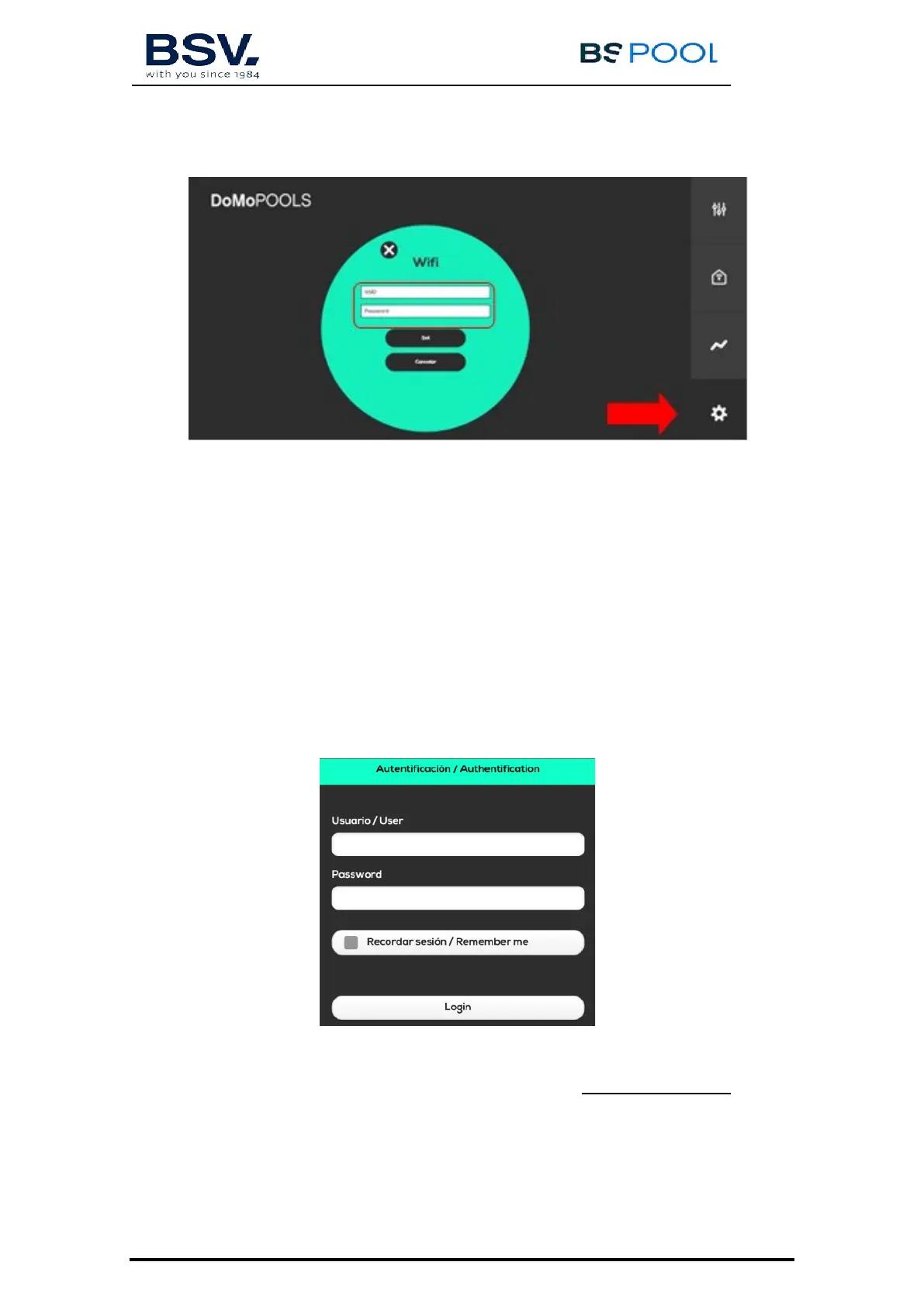
8) Set home wifi SSID and password.
SSID: This is the name of the home wifi network.
Password: This is home wifi network.
Press “Set” to confirm these changes. Domopool will reboot in order to
get access to Internet.
1.2.6 Remote Mode
Usually Domopools works in remote mode. Then user gets access to the
TOUCHEVO parameters. It is important Domopools and TOUCHEVO are
communicating in the same radio channel
a) Tablet and Smartphone: Open Eypools App and select remote mode.
b) Login with registration details, check section 5.2.4
c) Laptop: Once Domopools is installed. Go to www.eypools.com. Select
“Acceso” and then “Acceder”. Login with registration details, check
section 5.2.4



 To Next Page