BT Freestyle 2200 – Edition 03 – 19.02.04 – 5854
16
Quickdial directory
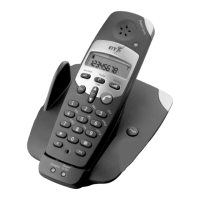
You can store up to 10 numbers in the directory of
each of your BT Freestyle 2200 handsets for quick and
easy dialling. Numbers can be up to 18 digits long.
Store a number
1. Press and hold then, whilst
P
is displayed, press .
2. Enter the telephone number you want to store.
3. Press then the Quickdial location ( – )
you want to store the number under.
The handset beeps.
4. Press to confirm.
Dial/view a number
1. Press to open the directory.
2. Enter a Quickdial location – using the keypad.
3. Press to dial a displayed number.
Or
Press to return to standby.
Using the phone
Press to delete an incorrect
digit.
If the number you store has more
than 9 digits, the display shows
—
—
—
.


 To Next Page