Home
BT
Barcode Reader
SG300
Page 21
BT SG300 - Page 21
22 pages
Manual
Save Page as PDF
To Next Page
To Next Page
To Previous Page
To Previous Page
Loading...
18
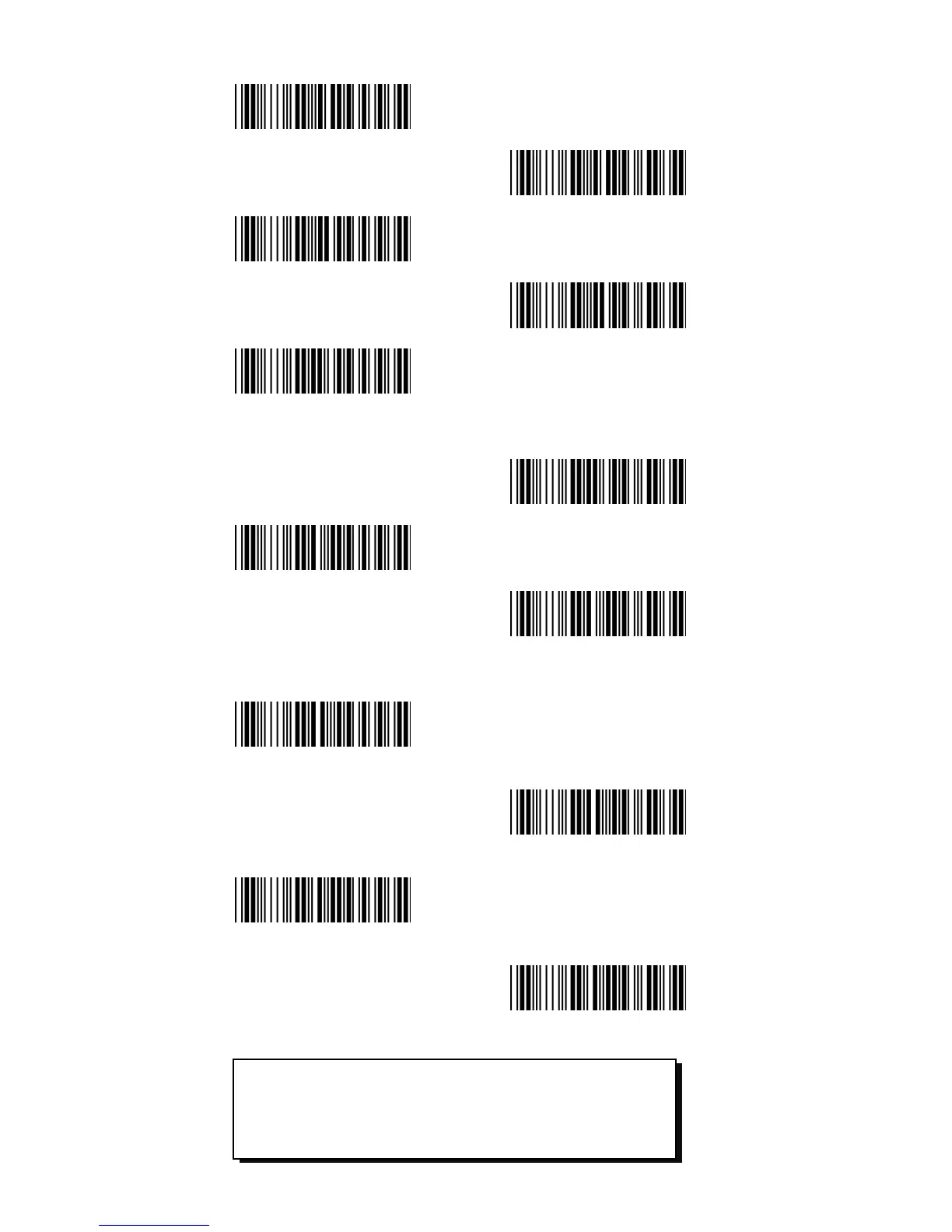
MSI/PLESSEY ON
MSI/PLESSEY
<OFF>
Telepen ON
Telepen
<OFF>
China Postage ON
China Postage
<OFF>
GS1 DataBar ON
GS1 DataBar
<OFF>
GS1 DataBar
Expanded ON
GS1 DataBar
Expanded
<OFF>
GS1 DataBar
Limited ON
GS1 DataBar
Lim
ited
<OFF>
ATTENTION
:
The following symbologies are
factory default enabled; UPC-A,
UPC-E, EAN-8, EAN-13, Code 39, Code
128, Codabar, Interleaved 2 of 5.
20
22
Table of Contents
Main Page
Default Chapter
3
Table of Contents
3
1 Introduction
4
Illustration
4
2 Quick Start
5
Standard Shipment Package
5
Start up
5
User's Manual
6
3 Installation
7
Environment Requirement
7
Cradle Installation to the Host Device
7
Rs232 Interface
8
Keyboard Wedge Interface
9
Usb Interface
10
Cable Installation
11
Skip Resistant Pad Position
11
Program Sequence
12
Programming Flow Chart
12
Factory Default Settings
12
General Process
13
Set All Default
13
Interface
14
RS232 Parameters
15
Baudrate
15
Parity
15
Data Bits
16
Stop Bits
16
Postambles
16
Postamble
16
Bluetooth Setup
17
Scanner Mode
17
Memory Mode
17
Sleep Mode
18
Symbologies
19
Enable All Symbologies
19
Enable / Disable Symbologies
19


 To Next PageTo Next PageTo Previous PageTo Previous Page
 Loading...