RECORD MODE
391504
20
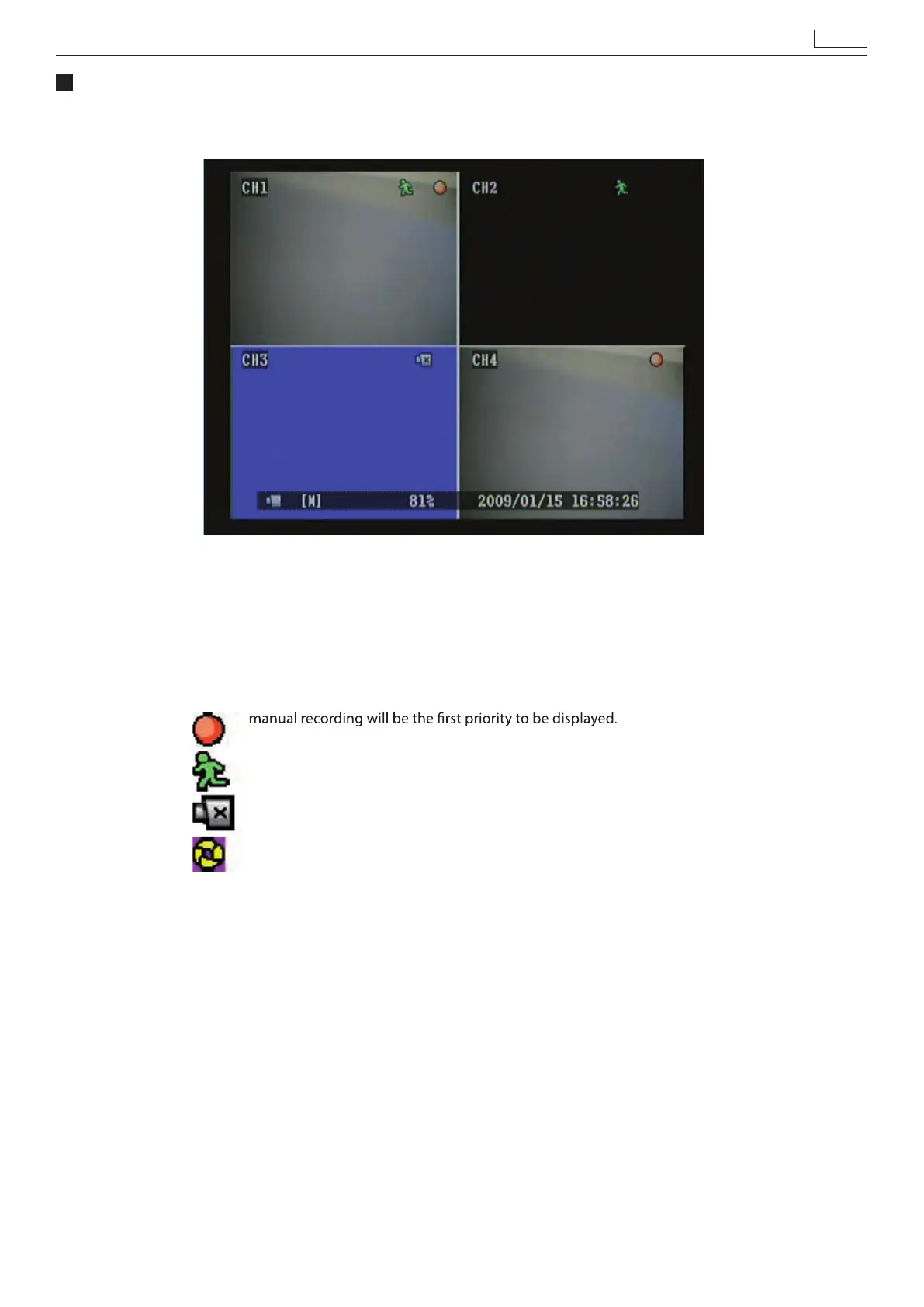
CH2 : Black screen indicates display and record function switched OF
CH3 : Blue screen indicates video-loss.
[M] : Symbol [M] indicates manual recording.
Symbol [S] indicates schedule recording.
When both manual and schedule recording has been enabled,
: Currently under recording.
: Motion event detected.
: Video input unable to be detected (video-loss has occurred).
: HDD is overwriting data.


 To Next Page