11
7.1 Setting the parameters
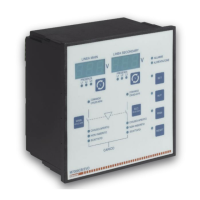
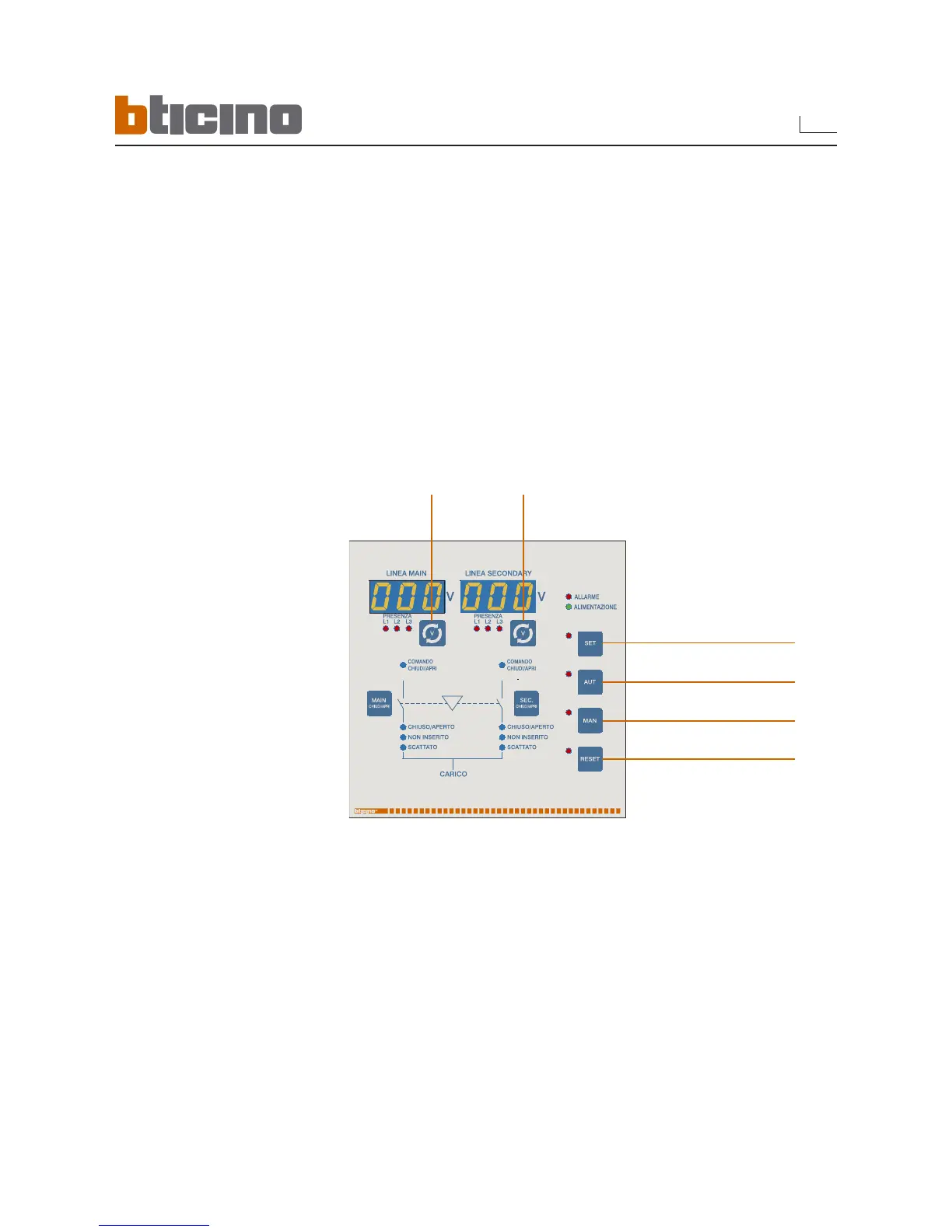
• Press the H and E keys for 5 consecutive seconds to start programming
• The flashing LED of the E key indicates that programming is in progress
• Main line display indicates the parameter selected via the code (for instance P0.01)
• Secondary line display indicates the set value of the selected parameter (for instance 400)
• Changing of parameters of the same group by pressing the key A
• Movement to next group with key E
• Movement to previous group with key H
• Enable modification of the parameter with key B
• Increase the value of the selected parameter with key F
• Decrease the value of the selected parameter with key G
• Confirm by pressing key B
• While modifying a parameter, the secondary line display flashes with the current value of
the parameter. In this situation it is not possible to move to another parameter without first
confirming
• Exit from Setup by pressing E and H simultaneously
7. Programming
Key E
- Goes to Setup
- Exits to higher level
Key A
It moves at
same level
Key B
- Enable modification
- Confirms setup
Key F
Increases parameter value
Key G
Decreases parameter value
Key H
Goes to lower level



 To Next Page
 Loading...