5 Operation
Turn on apparatus
Key Operation Display Function
ON e. g. 25.0
(actual temp.)
• Displays the actual temperature
• Set desired temperature compressor start
• Circulation pump is running
SET
shortly
press
e.g. 10.0 • Display the set temperature
SET + D
press e.g. 10.00 • Increase the desired set temperature in steps of 0.1°C
SET + ∇
press e.g. 10.0 • Decrease the desired set temperature in steps of 0.1°C
The apparatus is not splash-proof.
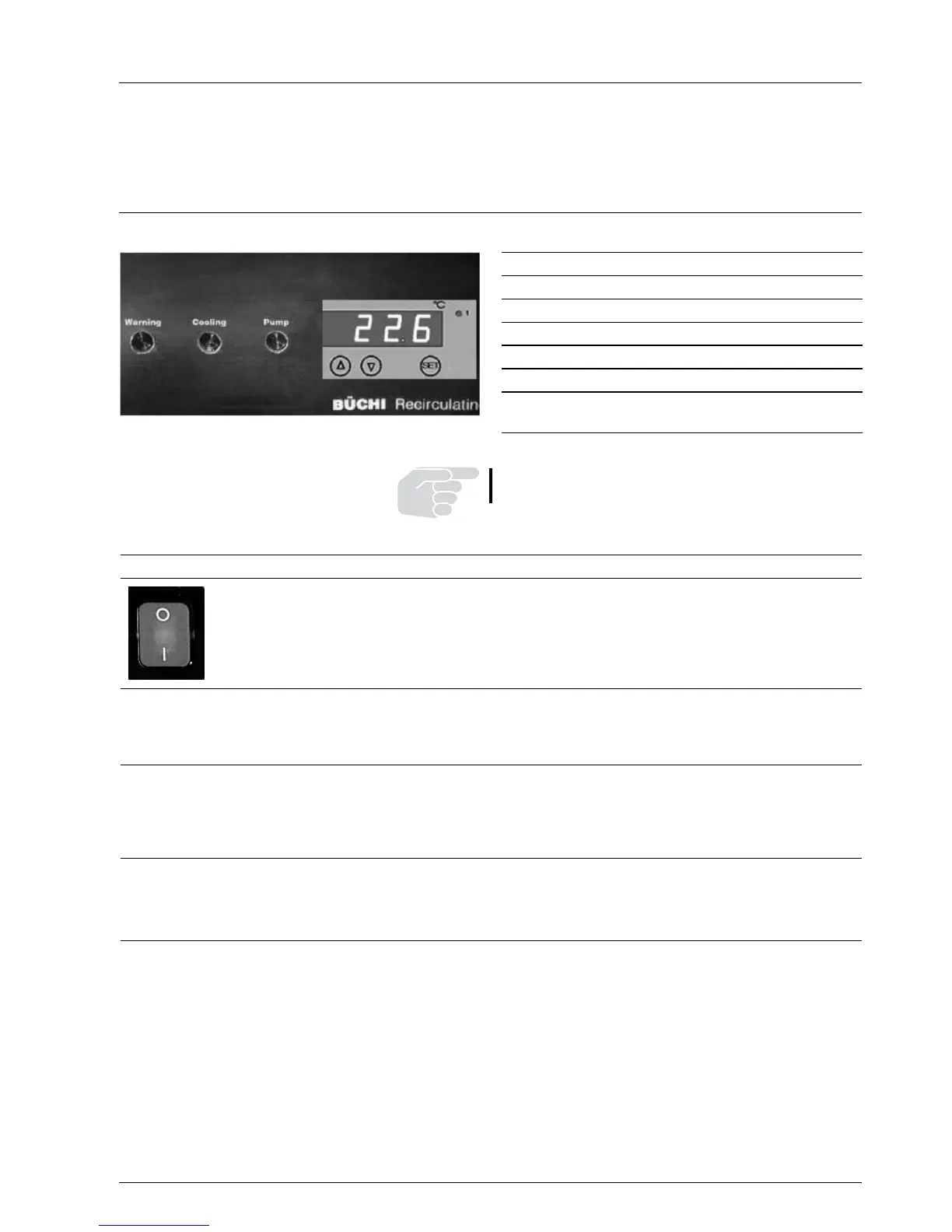
5.1 Operatingelements
SET
Indicate set temperature
D
Increase set temperature
∇
Reduce set temperature
WARNING
indicator in the case of malfunction
COOLING
Cooling indicator
PUMP
Indicator for circulating pump
a desired set temperature achieved,
regulation runs
5 Operation
The COOLING and PUMP lamps are always on in normal
operation.
Figure 6: Operating component


 To Next Page