The cable should be plugged into the RS232 port on the back of the instrument. The instrument
software communicates with the instrument using 2400-baud rate, 8 Bits, No Parity and 1 Stop
Bit. Please note the number of the communications port you have plugged the cable into. When
the software is first run, you will be prompted to input the communications port to which the
instrument is connected.
3.0 Software Installation:
The software is installed by placing the instrument software CD into your CD-ROM drive and
running the software SETUP program. The instrument software is installed by using the following
procedure:
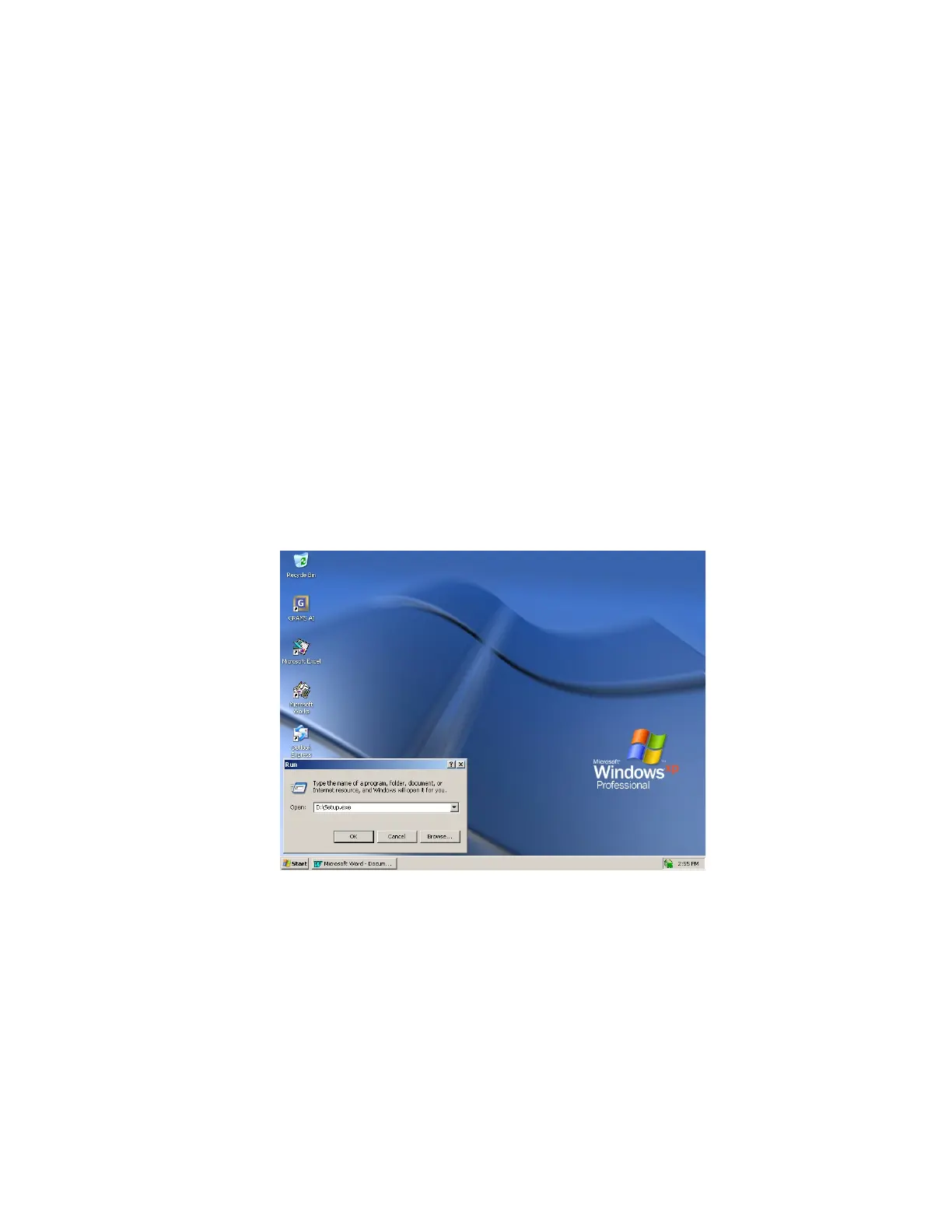
1. Click on the Start button in the bottom.
2. From the list of options, click on the Run option.
3. The following screen appears :
4. Please ensure that the drive letter corresponds to the appropriate drive letter for the
CD-ROM drive in your system. Then click on the OK button.
The SETUP program will start. Follow the instructions on the screen and the software will be
installed properly. After the installation, the instrument commands will be available in the
COLLECT menu in GRAMS Version 9.2 when it is installed before the MYBuck software.
There is also a sample application that is installed in a directory called CORBETT Software. The
sample application allows the user to control the instrument and collect spectra that can be
processed with GRAMS Version 9.2.



 To Next Page