15
4D LABS, Simon Fraser University 8888 University Drive, Burnaby, B.C. V5A 1S6
E nanoimaging@4dlabs.ca T 778.782.8158 F 778.782.3765 W www.4dlabs.ca
7. To use water, position the Water Dispensing Arm over the platen. Press the WATER button.
The WATER LED will light and water will be dispensed from both the Water Dispensing Arm the
Platen Bowl Wash. If there is no running water, open the mains tap behind the sink.
Turn the tap counter-clockwise to increase water flow through, or clockwise to reduce
flow.
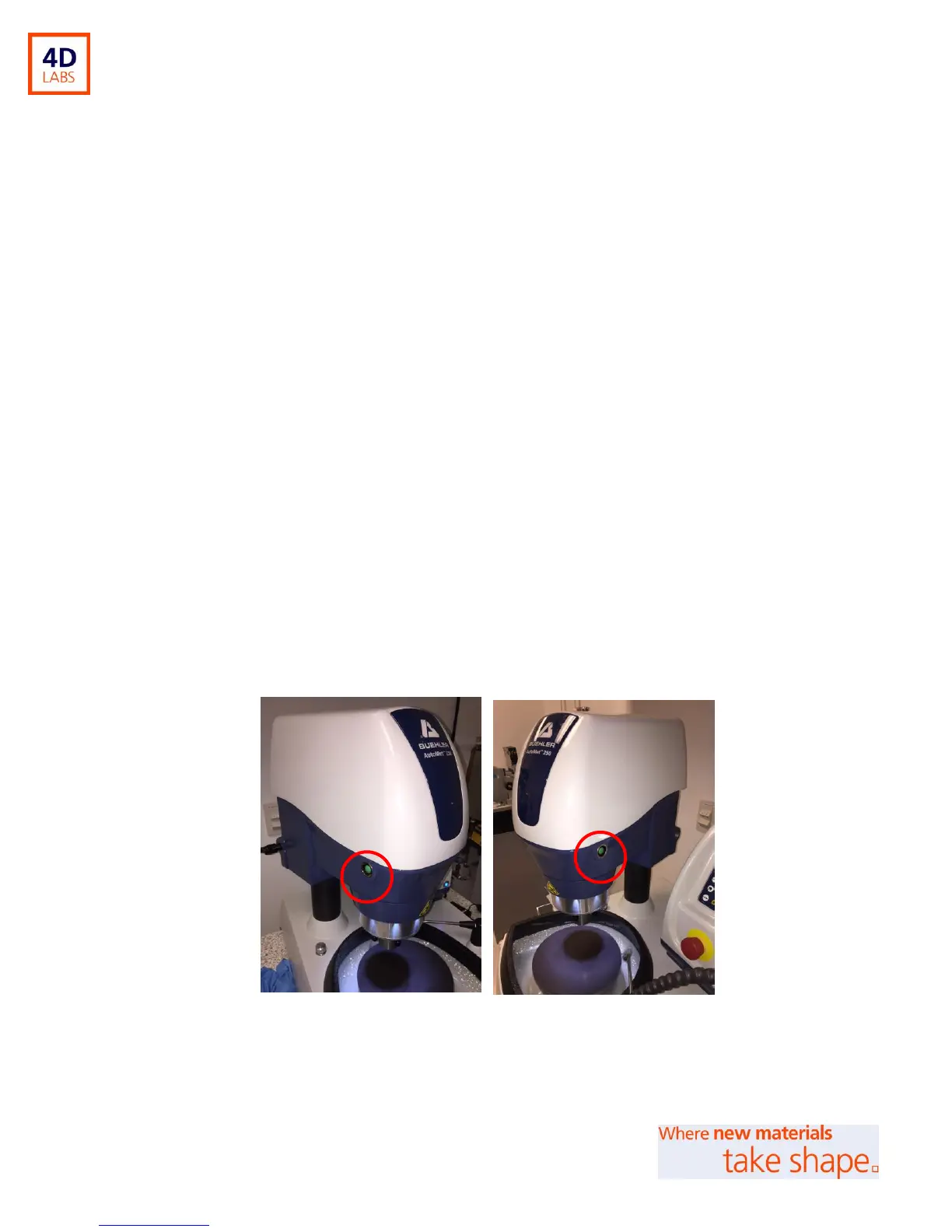
To start the machine, simultaneously press and hold the 2 green buttons on either side of the Power Head.
Keep holding the buttons as the Power head lowers the head to the platen. Let go of the buttons once the
process is underway (see Figure 10). Using both hands here (one for each green button) ensures safety from
trapping hands beneath the Power Head.
In Central Force mode, holding the green buttons will begin the polishing process once the
Power Head reaches the platen.
In Single Force mode, the Power Head will firstly lower onto the platen when the green
buttons are first held; polishing will not begin. Now you can place your samples into the
sample holder. Pressing the 2 green buttons again will lower the force fingers onto the
samples, and polishing process will begin.
Figure 10: Power Head Start Buttons (one located on each side of Power Head)
To pause the process, press the PAUSE / STOP button for approximately 1 second.


 To Next Page