17
4D LABS, Simon Fraser University 8888 University Drive, Burnaby, B.C. V5A 1S6
E nanoimaging@4dlabs.ca T 778.782.8158 F 778.782.3765 W www.4dlabs.ca
5. Store all polishing supplies appropriately to keep the space tidy for other users.
6. Using the water hose, rinse and then wipe the base area to remove any residual solution or
material (always monitor the water level of the collection vessel).
7. Place all particulate-contaminated waste (e.g. used grinding discs, Kim-wipes, gloves etc.) into a
zip-lock bag. Label this as nanoparticle waste and place into a designated nanoparticle waste bin
(currently in room 6170).
8. If the waste container is full, please alert a staff member so that it can be emptied.
9. Do not store your samples in the preparation lab.
10. Fill in the user log book and remember to create your online 4D LABS usage ticket.
References and Files
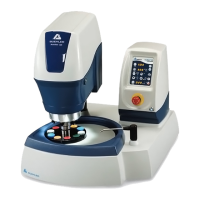
Buehler Manual for EcoMet™ 250 / 300 Grinder-Polisher & AutoMet™ 250 / 300 Power Head.
Contact Information
Questions or comments in regard to this document or Buehler Grinder-Polisher should be directed towards
Xin Zhang or Matt Bilton (zhang@4dlabs.ca; bilton@4dlabs.ca; 778-782-8026) in 4D LABS at Simon
Fraser University, Burnaby, BC, Canada.


 To Next Page