EasyManua.ls Logo

Buffalo Tools GEN154 - User Manual

Buffalo Tools GEN154
24 pages
Print Icon
To Next Page IconTo Next Page
Loading...
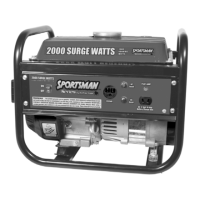
GEN154
2000 Surge Watts / 1500 Running Watts
PORTABLE GENERATOR
INSTRUCTION MANUAL
READ ALL INSTRUCTIONS AND WARNINGS BEFORE USING THIS PRODUCT.
This manual provides important information on proper operation & maintenance. Every effort has been
made to ensure the accuracy of this manual. These instructions are not meant to cover every possible
condition and situation that may occur. We reserve the right to change this product at any time without
prior notice.
IF THERE IS ANY QUESTION ABOUT A CONDITION BEING SAFE OR UNSAFE,
DO NOT OPERATE THIS PRODUCT!
DO NOT RETURN THIS PRODUCT TO THE RETAILER - CONTACT CUSTOMER SERVICE.
If you experience a problem, have questions or need parts for this product, visit our website
http://www.buffalotools.com or call Customer Service at 1-888-287-6981, Monday-Friday,
8 AM - 4 PM Central Time. A copy of the sales receipt is required.
FOR CONSUMER USE ONLY – NOT FOR PROFESSIONAL USE.
KEEP THIS MANUAL, SALES RECEIPT & APPLICABLE WARRANTY FOR FUTURE
REFERENCE.

Questions and Answers

  • C
    Chris GordonJul 30, 2025
    How to fix a Buffalo Tools GEN154 that will not start?
    • L
      Lindsay OrozcoJul 30, 2025
      If your Buffalo Tools Portable Generator won't start, make sure the engine switch is set to "on." Also, check that the fuel valve is turned to "open." Ensure the choke is closed and that the generator has enough fresh gasoline. A dirty or broken spark plug can also prevent starting, so clean or replace it as needed. Finally, ensure the generator is on a level surface and that the oil level is sufficient.
  • L
    lballardAug 10, 2025
    What to do if my Buffalo Tools Portable Generator runs but has no electrical output?
    • S
      Steven RandolphAug 10, 2025
      If your Buffalo Tools Portable Generator runs but provides no electrical output, first check if the circuit breaker is off and flip it to "on". Also, make sure the reset button is "on." Try using a different extension cord to rule out bad connecting wires or cables. Finally, disconnect the currently connected electrical device and try connecting another device to check for a faulty device.
  • J
    Jordan RhodesAug 20, 2025
    Why does my Buffalo Tools Portable Generator run but not support all connected electrical devices?
    • A
      andersonjosephAug 20, 2025
      If your Buffalo Tools Portable Generator runs but cannot support all connected devices, it might be overloaded. Reduce the number of connected electrical devices to stay within the generator's rated wattage. A short in one of the connected devices may also be the reason, so disconnect any faulty electrical loads. Another possible cause is a dirty air filter; clean or replace it.

Summary

Safety Information and Hazard Communication

Understanding Generator Safety Symbols

Explains the safety alert symbol and hazard level indicators (DANGER, WARNING, CAUTION).

Generator Package and Components

Package Contents and Included Items

Lists all items supplied with the generator for verification.

Identifying Generator Components

Provides a visual overview and identification of the generator's parts and controls.

Generator Preparation for Use

Initial Generator Setup Procedures

Step-by-step guide for first-time preparation, including oil and fuel.

Preparation for Subsequent Use

Checks required before starting the generator for regular operation.

Generator Operation

Starting the Generator

Detailed instructions for safely starting the generator engine.

AC and DC Power Usage

How to connect devices to AC and DC outlets and manage power usage.

Stopping and Maintenance

Stopping and Cooling the Generator

Procedures for safely shutting down the generator and cooling it.

Recommended Maintenance Schedule

Outlines routine maintenance tasks and their frequency.

Cleaning the Generator Exterior

Safe methods for cleaning the generator's outer surfaces.

Engine Maintenance

Checking and Adding Engine Oil

Guide on checking oil levels, draining, and adding oil with recommended types.

Air Filter and Spark Plug Service

Procedures for maintaining the air filter and servicing the spark plug.

Storage, Transport, and Troubleshooting

Generator Storage and Transport

Guidelines for safely storing and transporting the generator.

Troubleshooting Common Generator Issues

Identifies common problems, their causes, and solutions.

Parts Information

Generator Parts Diagram

Illustrated view of the generator's components.

Generator Parts List

Detailed list of parts with part numbers and quantities.

Buffalo Tools GEN154 Specifications

General IconGeneral
ModelGEN154
TypePortable Generator
Fuel TypeGasoline
Engine Type4-stroke OHV
Displacement63 cc
Starting SystemRecoil
Voltage120V
Frequency60 Hz
Noise Level65 dB
Starting Wattage1500 Watts
Running Wattage1200 Watts
Outlet1x 12V DC

Related product manuals