10
Tips for Making Hotter Coffee:
• Enter the menu page to select “Brewing Unit quick rinse” to run a cleaning cycle.
• Wash the coffee cup with hot water to make it warm (use hot water function).
• Set the coffee temperature to a higher setting.
Caution:
• If the coffee flows drop by drop, not strong enough or not rich in aroma, or too cool or
hot, refer to the section “Troubleshooting” for solutions.
• During operations, various warning messages will be displayed. Refer to the section
“Prompt Message” for details.
Making coffee with milk
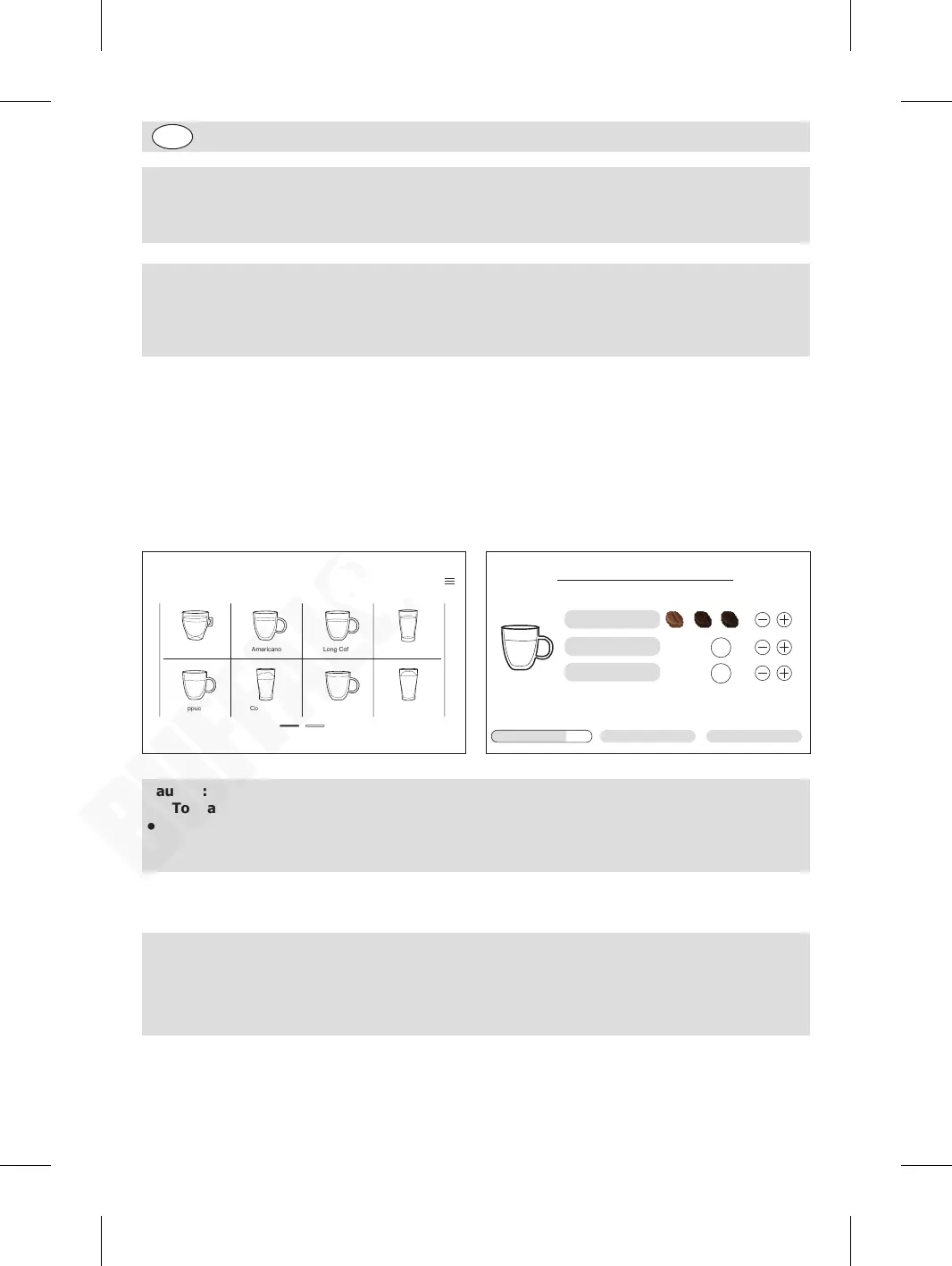
When in home page, press the desired beverage icon to start.
An example of making Cappuccino:
1. Insert the milk tube into the fresh milk before operation.
2. Place a cup under the discharge outlets.
3. Press the “Cappuccino” icon.
4. Coffee making starts automatically. (If desired, you can press “Stop” to cancel the process.)
5. A cup of Cappuccino will be dispensed automatically.
Café Au Lait
Long Coffee Hot Water
Hot Milk Foam
AmericanoEspresso
Cappuccino Coffee Latte
40
s
Cappuccino
Coffee strength
Milk foam
75% Stop
75
ml
Coffee
Caution:
• To make a rich milk froth, please use the refrigerated whole milk (about 5°C).
• To avoid the occurrence of too much/less milk froth, after making coffee containing
milk, ensure to rinse the milk froth system in time. For details, refer to the section “Milk
foam system cleaning” as stated below.
Milk foam system cleaning
It is recommended to clean the milk foam system once operation is
finished and likely to have a period of inactivity.
Warning: During cleaning, steam may come out from the outlets. Do not
put your hand on the outlets to avoid burns.
GM949_EN_A5_v1_20240528.indb 10GM949_EN_A5_v1_20240528.indb 10 2024/5/28 11:272024/5/28 11:27


 To Next Page