9
Adjusting the thickness of coffee beans
The factory thickness setting is middle grade which is suitable for medium roasted coffee beans.
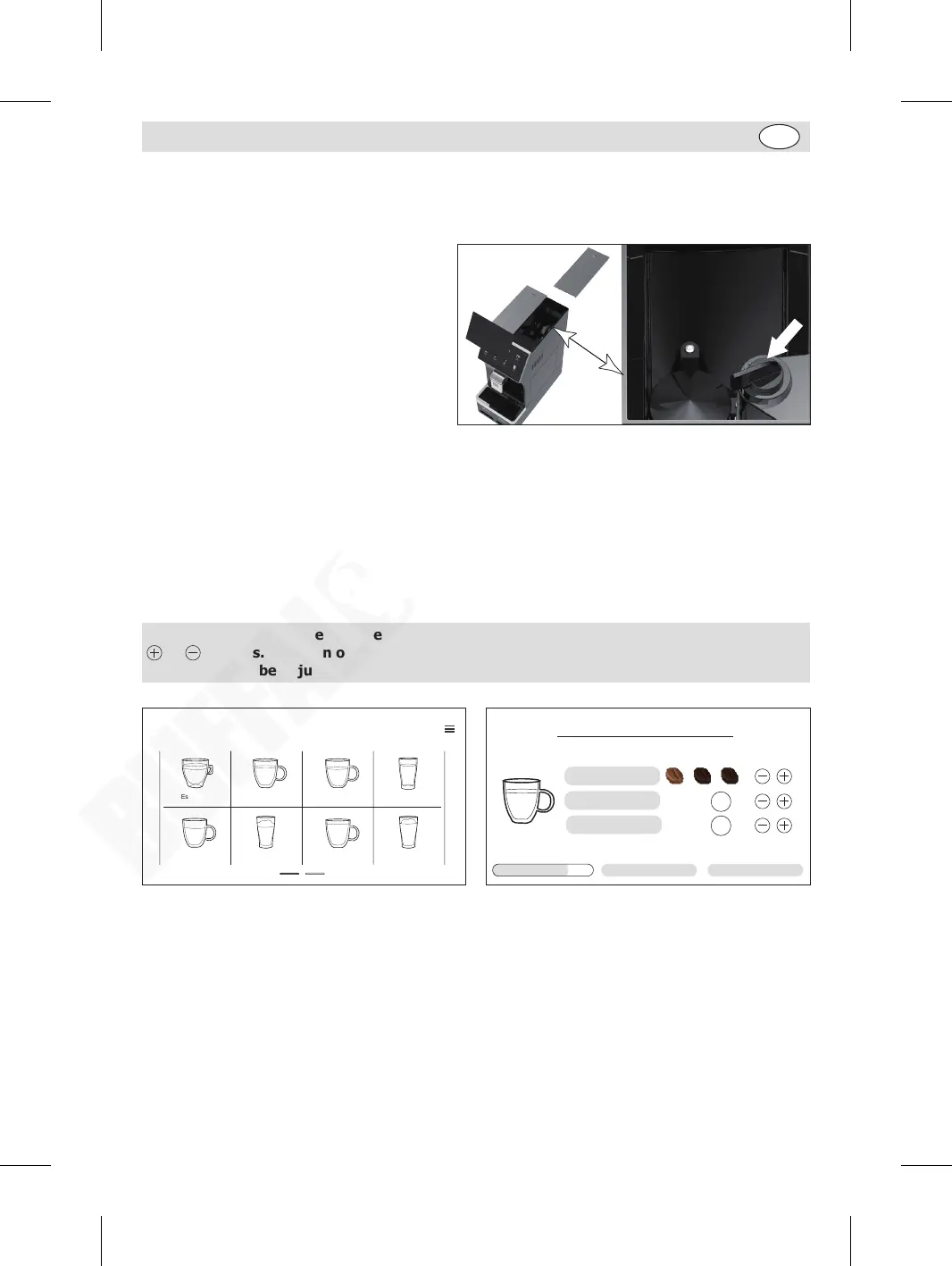
The grinding regulator system is in the coffee bean tank. To adjust, remove the cover first.
• If the coffee is delivered too fast or too
weak, it means the grinded coffee powder
is too coarse. When the grinder is running,
adjust the dial counter-clockwise until the
desired effect is achieved.
• If the coffee is delivered too slow or strong,
it means the grinded coffee powder is too
fine. When the grinder is running, adjust
the dial clockwise until the desired effect is
achieved.
Making coffee
When in home page, press the desired beverage icon to start.
An example of making a cup of Americano:
1. Place a cup under the discharge outlets.
2. Press the “Americano” icon.
3. Coffee making starts automatically. (If desired, you can press “Stop” to cancel the process.)
4. After done, a cup of Americano will be dispensed automatically.
Tip: It is possible to amend the existing beverage setting during operation by pressing the
or buttons. This can only be done whilst the particular element is in progress, e.g. Hot
Water can only be adjusted whilst the machine is dispensing Hot Water.
Café Au Lait
Long Coffee Hot Water
Hot Milk Foam
AmericanoEspresso
Cappuccino Coffee Latte
140
ml
Americano
Coffee strength
Hot water
Coffee
70
ml
75% Stop
GM949_EN_A5_v1_20240528.indb 9GM949_EN_A5_v1_20240528.indb 9 2024/5/28 11:272024/5/28 11:27


 To Next Page