13
7. Standby time: After an automatic cleaning, if the appliance is not to be used for a period of time
(60 minutes by default), it will automatically enter standby. Options to select: None, 30min, 45min,
60min, 2h, 3h, 4h, 5h
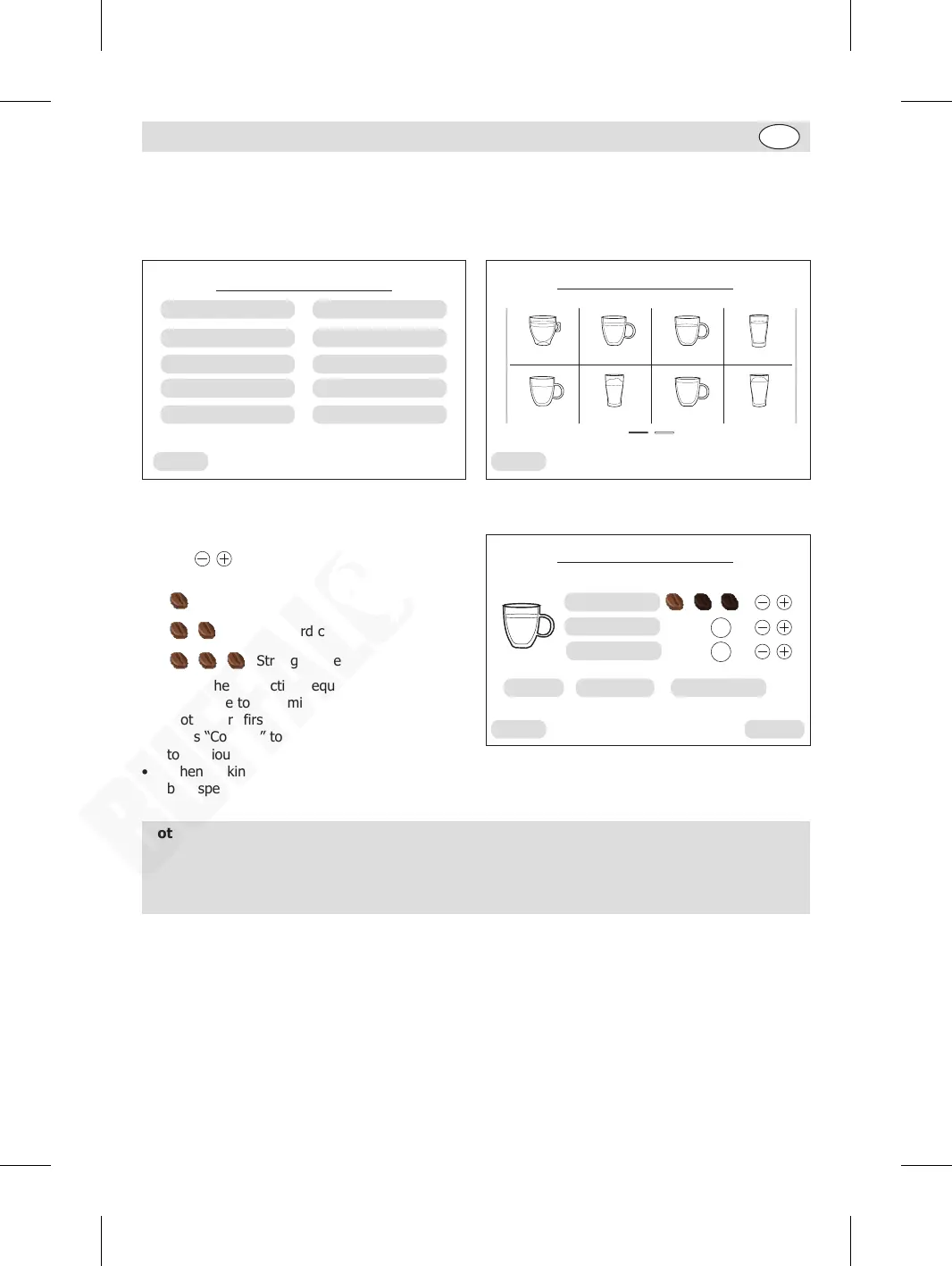
8. Beverage setting: While in “Service menu” page, press “Beverage settings” to enter Beverage
setting page.
Back
Service menu
Language setting
Beverage settings
Maintenance settings
Pre-brewing
Water hardness
Brightness setting
Coffee temperature
Statistics
Audible alarm
Standby time
Café Au Lait
Long Coffee Hot Water
Hot Milk Foam
AmericanoEspresso
Cappuccino Coffee Latte
Back
Beverage setting
Example of Americano setting:
• Press the “Americano” icon.
• Use keys to select coffee strength, hot
water volume, and coffee volume.
Light coffee
Standard coffee
Strong coffee
• Select the production sequence of hot water
and coffee to determine the drink formula, like
“hot water” first and “coffee” the second.
• Press “Confirm” to confirm all settings and back
to previous page.
• When making actual Americano, hot water will
be dispensed first, then coffee follows.
140
ml
ConfirmBack
Americano
Coffee strength
Hot water
Coffee
70
ml
Coffee Default settingHot water
Note:
• If desired, you can press “Default setting” to restore factory settings. Then press “Back”
to back to the previous page.
• For other beverages setup, please carry out similar operations and follow the actual
indications on the screen.
GM949_EN_A5_v1_20240528.indb 13GM949_EN_A5_v1_20240528.indb 13 2024/5/28 11:272024/5/28 11:27


 To Next Page