14
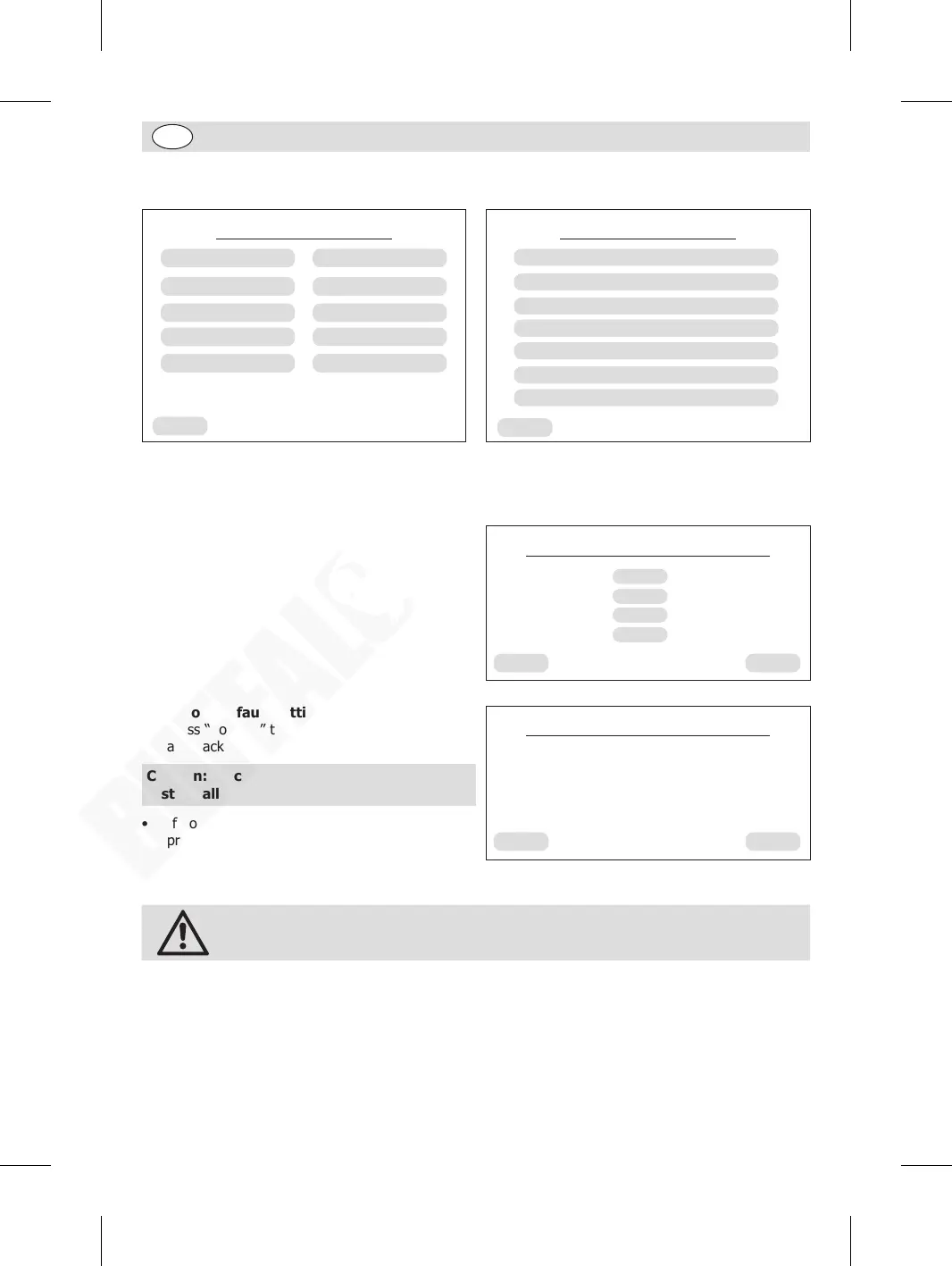
9. Maintenance setting: While in “Service menu” page, press “Maintenance settings” to enter
Maintenance setting page. Press desired sub-menu to set up.
Back
Service menu
Language setting
Beverage settings
Maintenance settings
Pre-brewing
Water hardness
Brightness setting
Coffee temperature
Statistics
Audible alarm
Standby time
Back
Maintenance settings
Brewing System cleaning using tablets
Milk Foam System cleaning using tablets
Milk Foam System steam automatic cleaning
Milk Foam System steam cleaning
Descaling cleaning
Restore default settings
Engineering settings
To set up the “Milk Foam System steam automatic cleaning”:
The appliance is featured with an automatic cleaning to rinse the milk foam system after a set period. To
set up:
• Press “Milk Foam System steam automatic
cleaning” to enter the setup page.
• Select “30min” for example, then press
“Confirm”.
• The appliance will run an automatic cleaning
every 30 minutes.
Back
Milk foam system automatic flushing
Confirm
None
30min
60min
180min
To restore default settings:
• Press “Confirm” to restore all factory settings
and back to the previous page.
Caution: Be careful of the operation as it will
restore all the factory default settings.
• If no need for reset, press “Back” to back to the
previous page.
Back
Restore default settings
Confirm
Restore default settings?
Engineering settings:
Caution: This setup is password-protected and only available to authorised
maintance staff.
10. Statistic information: While in “Service menu” page, press “Statistics” to check the overview of
beverages produced. Press “Back” to back to the home page.
GM949_EN_A5_v1_20240528.indb 14GM949_EN_A5_v1_20240528.indb 14 2024/5/28 11:272024/5/28 11:27


 To Next Page