17
Descaling the water tank
Danger
• Cleaning tablets and liquid descaler contain acidic materials irritating to
eyes and skin. Ensure to strictly follow all safety warnings on the packaging
to avoid injury.
• Take caution of the hot solution splashing out - Danger of burns!
During descaling, ensure to follow all screen prompts and empty the waste water tray in
time.
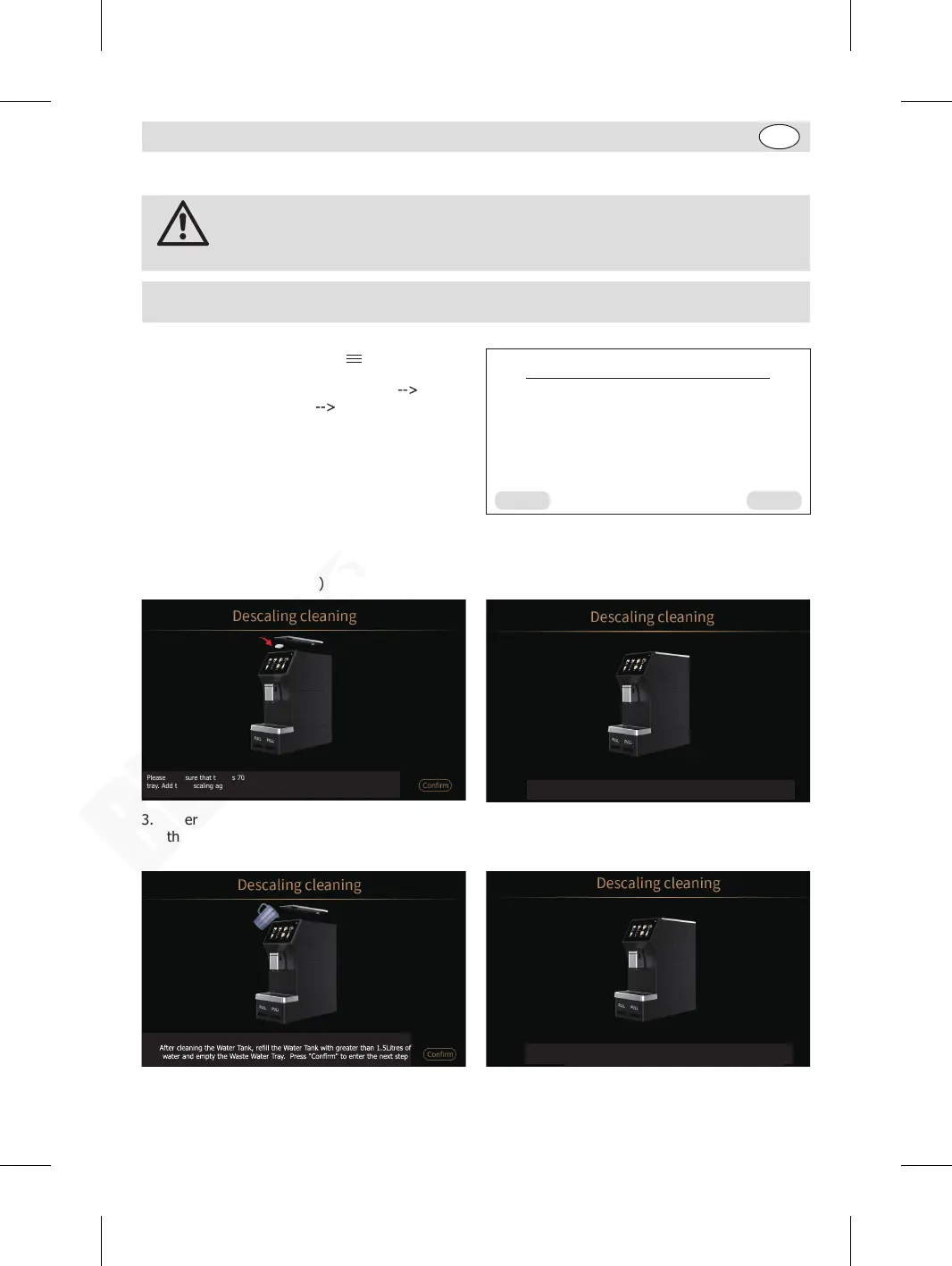
1. When in home page, press “ ” on the upper
right corner to enter the Menu page. Then
follow the sequence “Service menu”
“Maintenance settings” “Descaling cleaning”.
Press “Yes”.
No
Descaling cleaning
Yes
Start coffee machine descaling?
2. Make sure there is 700ml of water in the water tank and empty the waste water tank. Add the
descaling agent to the water tank (Following the descalers recommended dilution rate to ensure
successful descaling of the appliance.) and press “Confirm” to enter the next step. (Tip: This stage
takes about 15 minutes.)
Please make sure that there is 700ml of water in the water tank and empty the waste water
tray. Add the descaling agent to the water tank and press “Confirm” to enter the next step
Descaling, please wait...
3. After cleaning the Water Tank, refill the Water Tank with greater than 1.5Litres of water and empty
the Waste Water Tray. Press “Confirm” to enter the next step. (Tip: This stage takes about 10
minutes.)
Cleaning is completed
GM949_EN_A5_v1_20240528.indb 17GM949_EN_A5_v1_20240528.indb 17 2024/5/28 11:272024/5/28 11:27


 To Next Page