7
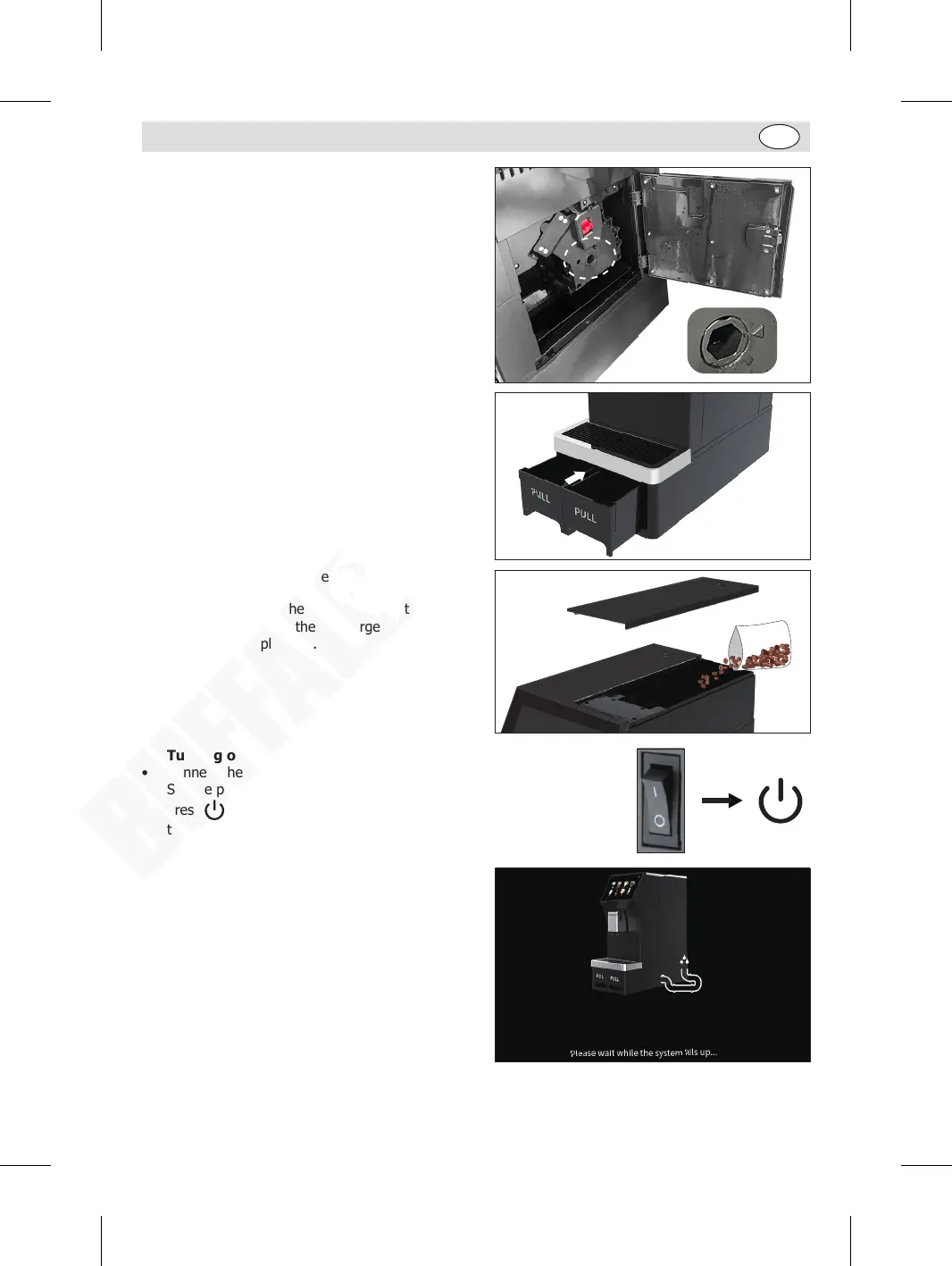
2. Locating the Brewing Unit Core:
• Press the release button to open the door.
• Check the brewing unit core has been reset to the
original position (arrow pointing to the triangle
point), then push inside the brewing unit core
until it is clicked into place.
• Close the door.
3. Locate the drip tray, waste water tank and coffee
grounds tank.
4. Add coffee beans into the coffee bean tank.
5. Place a cup under the discharge outlets and
adjust the height of the discharge unit to avoid
hot beverage splashing.
6. Turning on:
• Connect the appliance to a suitable power supply.
• Set the power switch (on the back) to “I” position.
• Press button on the front for 3 seconds. The control panel lights up
then shows the welcome screen.
7. When the appliance is started for the first time,
water filling screen will be shown.
GM949_EN_A5_v1_20240528.indb 7GM949_EN_A5_v1_20240528.indb 7 2024/5/28 11:272024/5/28 11:27


 To Next Page