67
Printer Installation
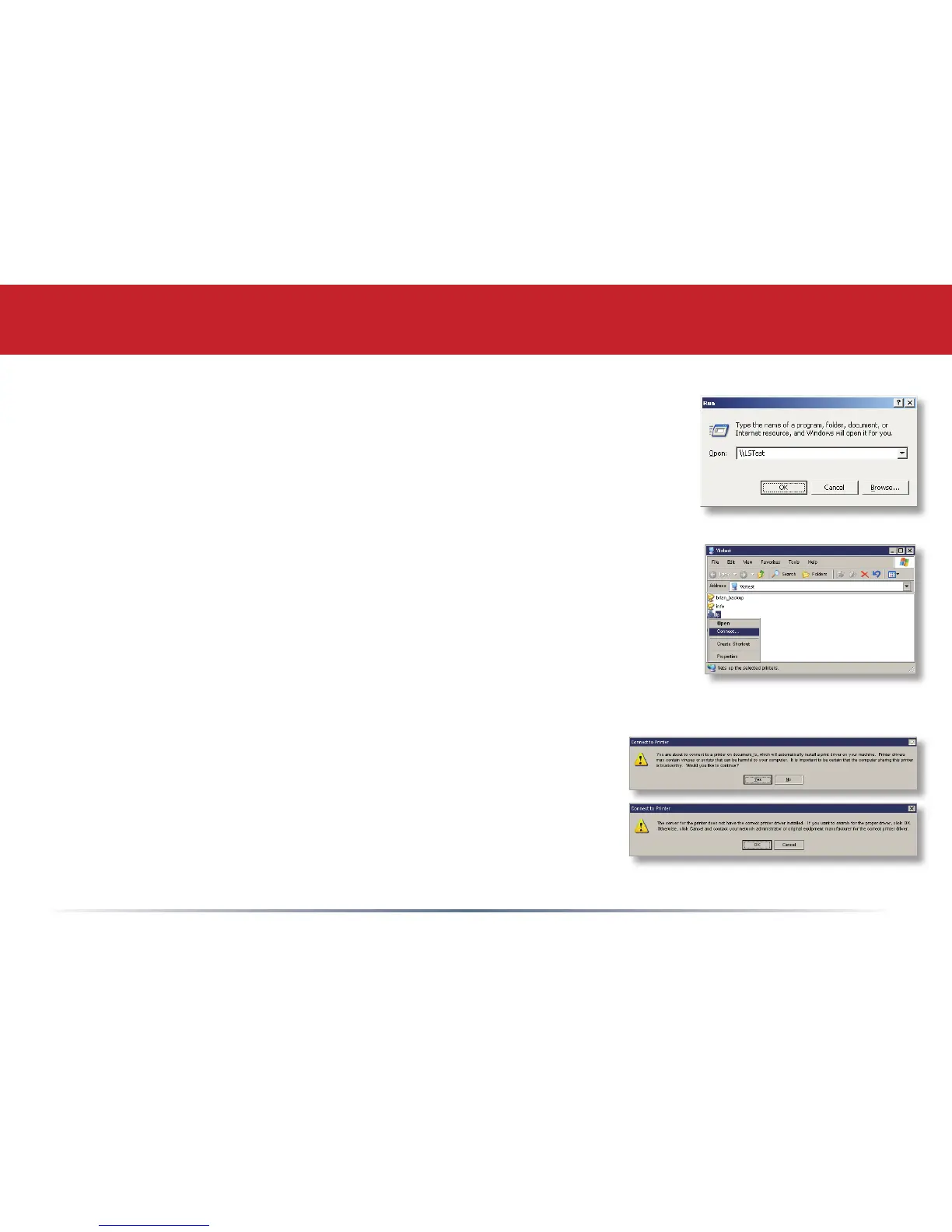
• Access the LinkStation by pressing Start, selecting the Run...
option, and entering \\LinkStation_Name (where LinkStation_
Name is the name you set on page 25). Press the OK button
when fi nished.
• Right click on the lp icon and select Connect.
• You may receive a warning about installing from a trustworthy
source. If you receive this message, press Yes to continue.
• You will receive a warning that the server does not have
the proper drivers. Press OK to continue.













 To Next Page