Home
Buffalo
Storage
LinkStation Pro
Page 25 (Disk Management Drive Properties)
Buffalo LinkStation Pro - Disk Management Drive Properties
57 pages
Manual
Save Page as PDF
To Next Page
To Next Page
To Previous Page
To Previous Page
Loading...
25
Advanced Settings
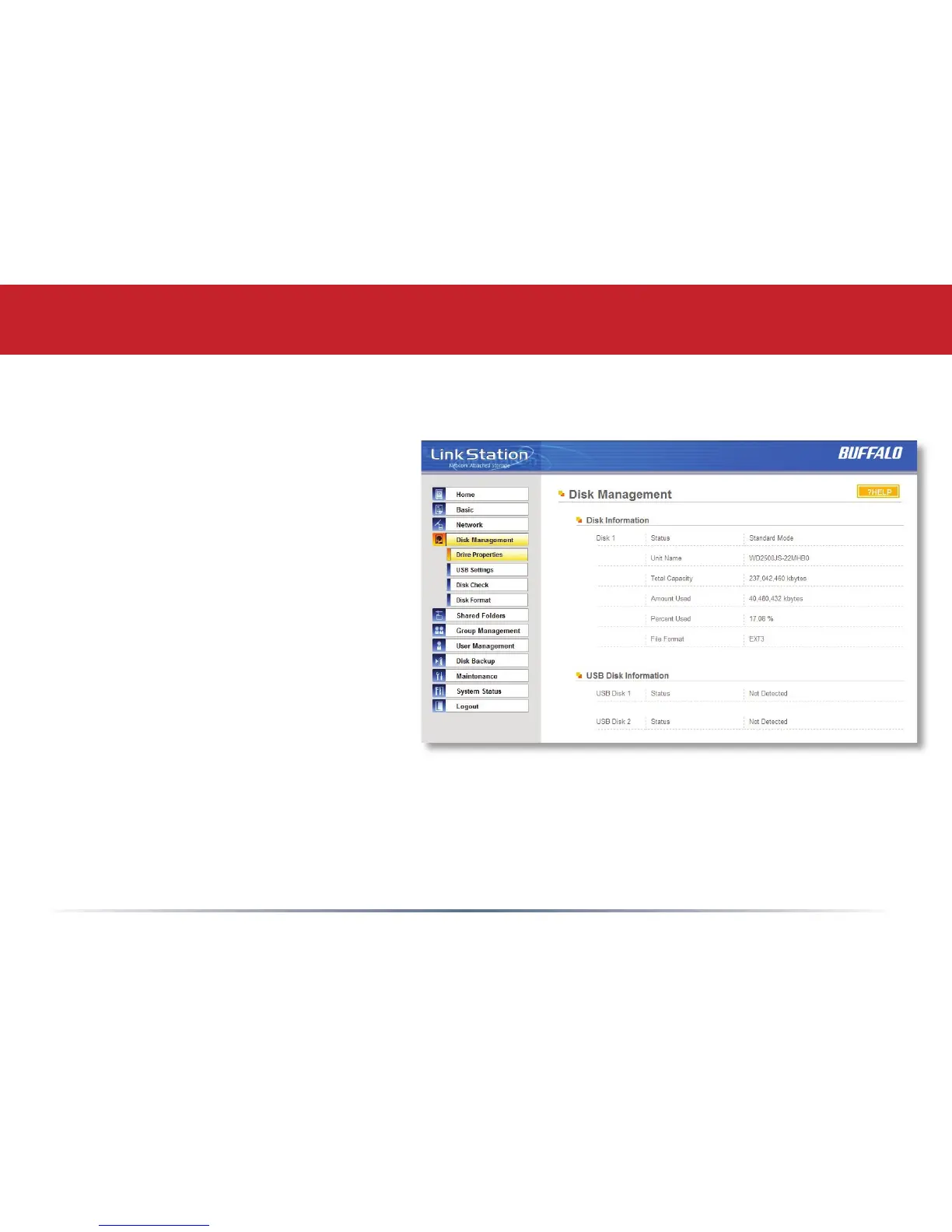
Disk Management (Drive Properties)
This page shows the properties for
the main drive in your LinkStation
Pro. If you have any USB hard
drives plugged into the linkstation,
their properties will appear here as
well.
24
26
Table of Contents
Main Page
Table of Contents
3
Initial Setup
4
Installing Software
8
Install Software
8
Accessing Linkstation Data from a PC
12
Accessing Linkstation Data from a Mac
13
Linkstation Expansion
16
Linkstation Layout
17
Advanced Settings
19
Network Settings
23
Domain and AD Settings
24
Disk Management
25
Shared Folders
29
Groups
33
Users
34
Troubleshooting Multiple Shares
36
Backups
41
Maintenance Settings
42
System Status
47
Client Utility
51
Ip Address Setup
52
Troubleshooting
53
Technical Specifications
54
Fcc Warning
55
Gpl Statement
55
Technical Support (USA)
55
Technical Support (Europe)
56
GPL Information
57
Other manuals for Buffalo LinkStation Pro
Quick Setup Guide
116 pages
Related product manuals
Buffalo LinkStation 210D
137 pages
Buffalo LinkStation 200 Series
137 pages
Buffalo LinkStation 700 Series
204 pages
Buffalo LinkStation Pro LS-XHL
64 pages
Buffalo LinkStation Live LS-CHL
76 pages
LinkStation LS220D Series
2 pages
LinkStation Quad LS-QL/R5
96 pages
LinkStation Pro Duo LS-WTGL/R1
71 pages
LinkStation Pro Shared Network Storage
59 pages
Buffalo Link Station LS710D
204 pages
Buffalo Link Station LS720D
204 pages
TeraStation Live HS-DH-TGL/R5
92 pages














 To Next Page