2-4 Keys, Doors, and Windows
Remote Keyless Entry
(RKE) System Operation
The transmitter functions will work
up to 20 m (65 ft) away from the
vehicle. On vehicles with remote
start the distance will be greater.
Keep in mind that other conditions,
such as those previously stated,
can impact the performance of the
transmitter.
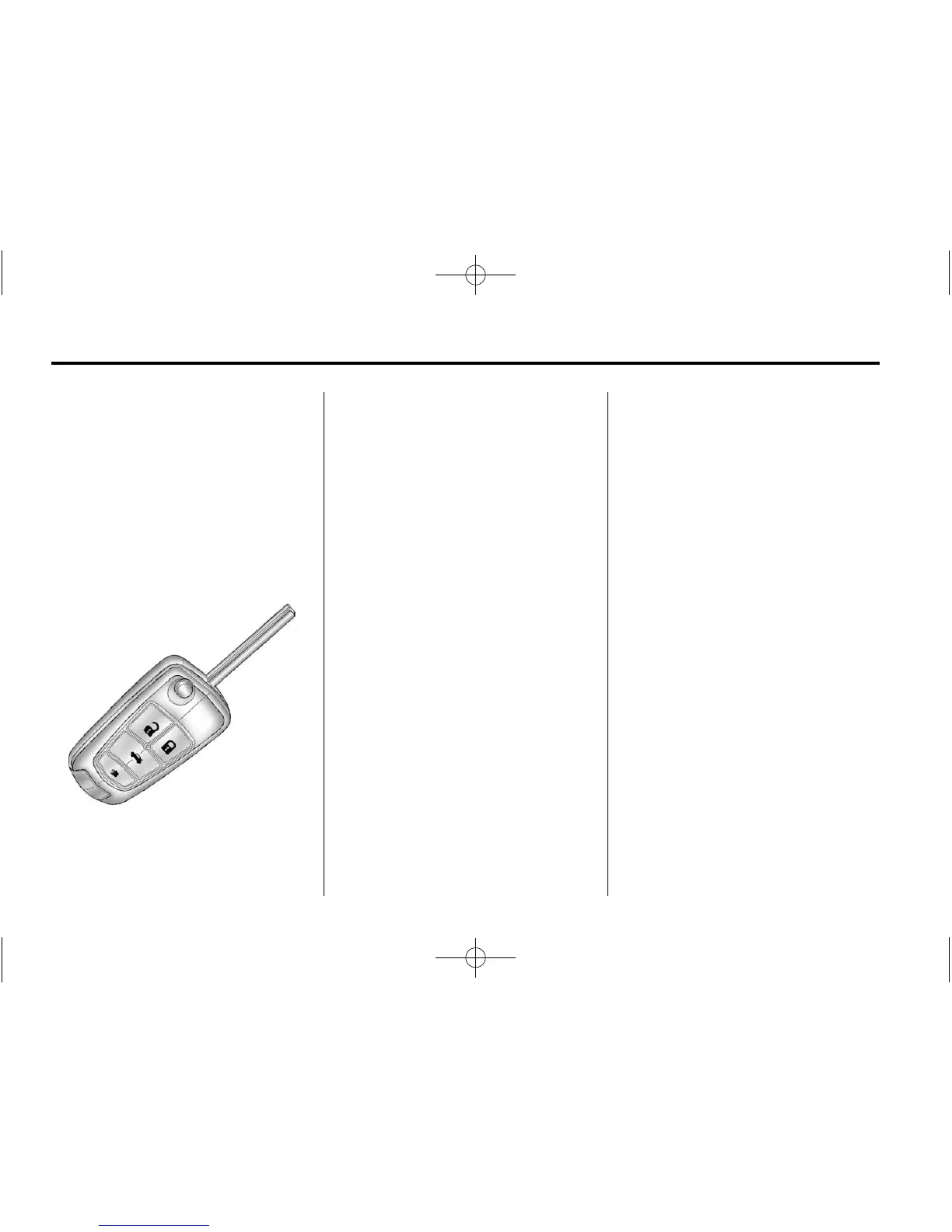
RKE without Remote Start Shown
K (Unlock): Press to unlock the
driver door or all doors. See “Door
Unlock Options” under Vehicle
Personalization on page 5‑36.
The turn signal indicators may flash
and/or the horn may sound to
indicate unlocking. See “Unlock
Feedback” under Vehicle
Personalization on page 5‑36.
Pressing
K will disarm the
theft-deterrent system.
See Anti-theft Alarm System on
page 2‑14.
Q (Lock): Press to lock all doors.
The turn signal indicators may flash
and/or the horn may sound to
indicate locking. See “Locking
Feedback” under Vehicle
Personalization on page 5‑36.
If the driver door is open when
Q is
pressed, all doors lock except the
driver door, if enabled through the
vehicle personalization.
If the passenger door is open
when
Q is pressed, all doors lock.
Pressing
Q may also arm
the theft-deterrent system.
See Anti-theft Alarm System on
page 2‑14.
V (Remote Trunk Release):
Press and hold to open the trunk.
7 (Vehicle Locator/Panic
Alarm): Press and release
one time to locate the vehicle.
The exterior lamps flash and the
horn chirps.
Press and hold
7 for at least
two seconds to sound the panic
alarm. The horn sounds and the
turn signals flash until
7 is pressed
again or the vehicle is started.
/ (Remote Vehicle Start):
For vehicles with this feature,
press
Q and then press and
hold
/ within five seconds to
start the engine from outside the
vehicle using the RKE transmitter.
See Remote Vehicle Start on
page 2‑8 for additional information.















 To Next Page