172 Infotainment System
Driving on a Route
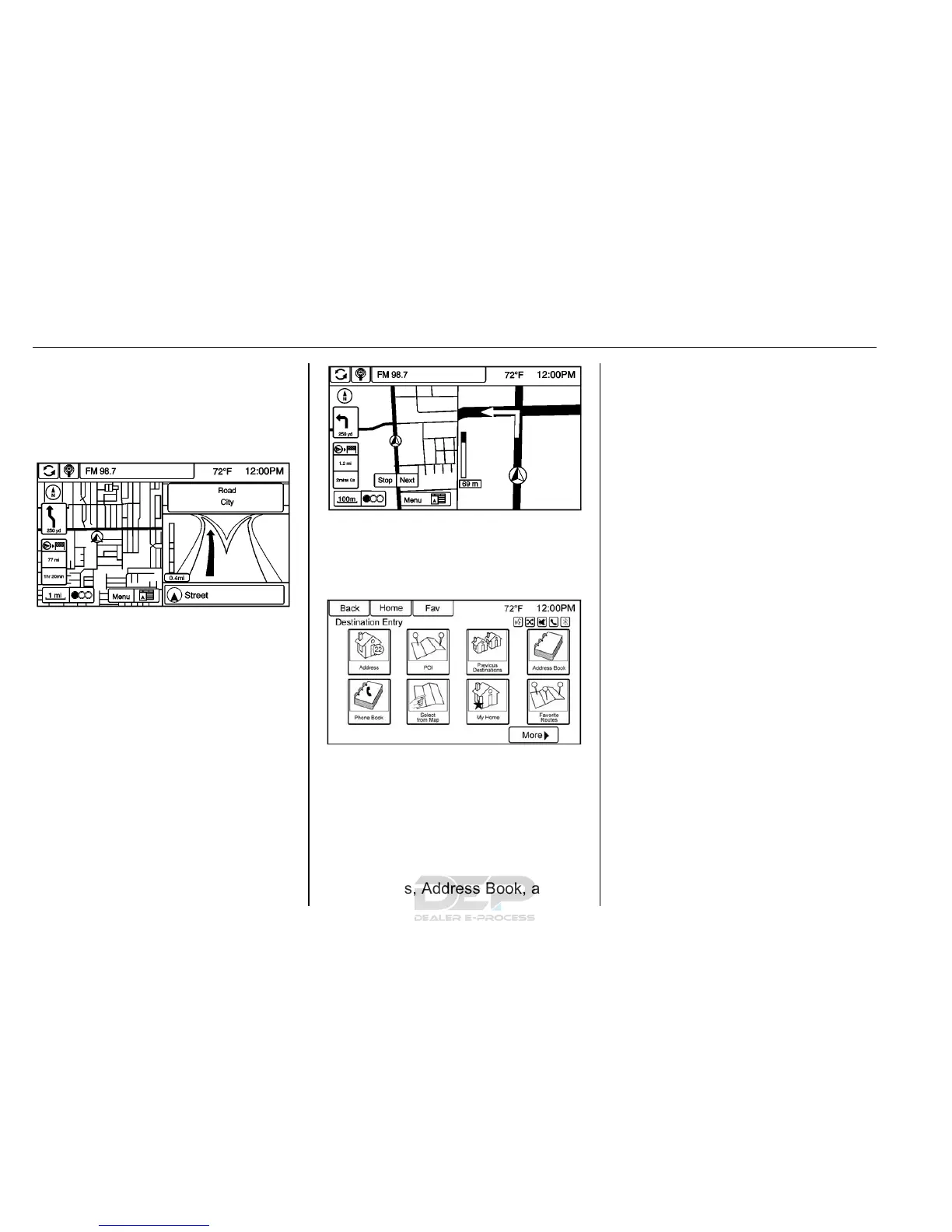
Urgent Maneuver Alert
The system will give an indication
that the next maneuver is close.
Driving on a Highway
Driving on a Residential Road
Destination
If route guidance is not active, touch
Destination on the Home Page to
access the Destination Entry
screen. Several options can be
selected to plan a route by entering
destinations. Some destination
entry items such as Previous
Destinations, Address Book, and My
Home may be grayed out if no
destination was previously entered
or saved.
Alpha-Numeric Keyboard
Letters of the alphabet, symbols,
punctuation, and numbers, when
available, display on the navigation
screen as alpha/numeric keyboards.
The alpha keyboard displays when
data needs to be entered.
ABC or QWERTY : Touch to toggle
between ABC or QWERTY
keyboard character layouts.
ÄÖ : Touch to access an alternate
language keyboard.
Sym : Use to select symbols.
Space : Use to enter a space
between characters or the words of
a name.
Delete : Touch to delete an
incorrect character that has been
selected.
Last 5 : Touch to select any of the
last five cities or street names
entered if available.













 To Next Page