Buick Regal Owner Manual (GMNA-Localizing-U.S./Canada-10999315) -
2018 - CRC - 9/11/17
230 Driving and Operating
Caution
Do not repeatedly brake or
accelerate heavily when TCS is
off. The vehicle driveline could be
damaged.
To turn off only TCS, press and
release
g. i displays in the
instrument cluster. The appropriate
message may display in the DIC.
To turn TCS on again, press and
release
g. i displayed in the
instrument cluster will turn off.
If TCS is limiting wheel spin when
the TCS/StabiliTrak button is
pressed, the system will not turn off
until the wheels stop spinning.
To turn off both TCS and StabiliTrak,
press and hold
g until i and g
come on and stay on in the
instrument cluster. The appropriate
message may display in the DIC.
To turn TCS and StabiliTrak on
again, press and release
g. i
and g in the instrument cluster
turn off.
Adding accessories can affect the
vehicle performance. See
Accessories and Modifications
0 262.
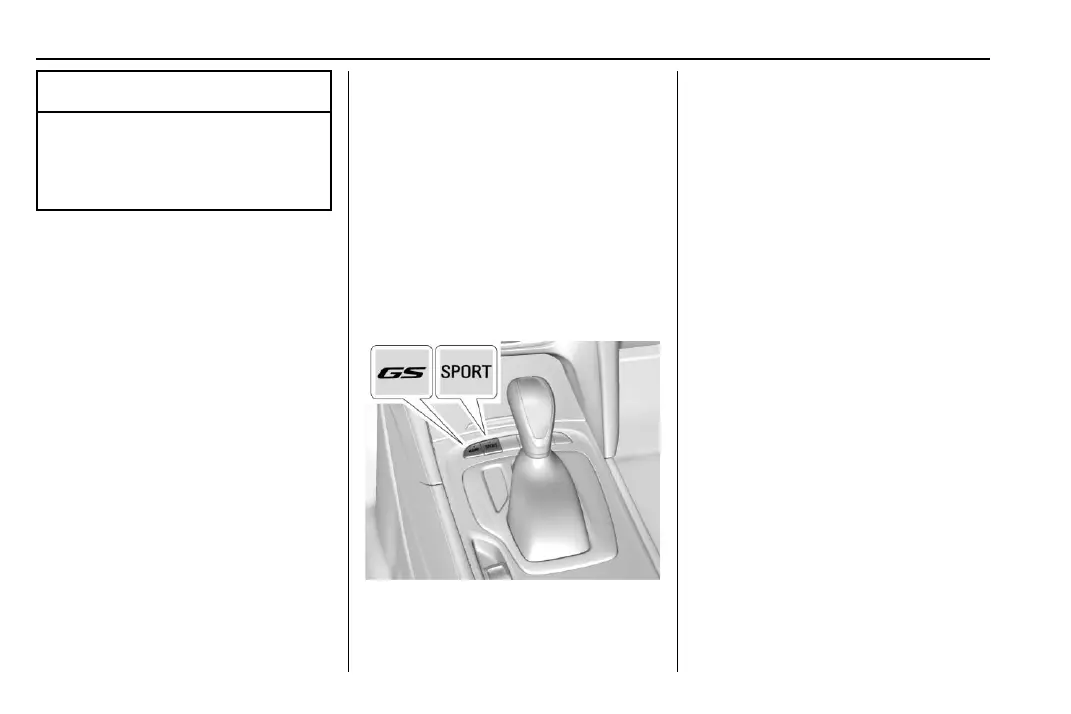
Selective Ride Control
(GS Models Only)
Selective Ride Control adapts to the
preference of the driver with one of
three driving modes: Normal,
Sport, or GS.
The following electronic systems
have been calibrated for each
driving mode:
.
Continuous Damping
Control (CDC)
.
Power Steering Assist
.
Automatic Transmission
.
All-Wheel Drive (AWD)
When the vehicle is started, Normal
mode comes on automatically. Sport
mode or GS mode can be selected
by pressing and releasing SPORT
or the GS. The light on the selected
button will illuminate, indicating the
driving mode. To return to Normal
mode, press and release the
illuminated button. When both
button lights are off, the vehicle is in
Normal mode. The driving mode can
be changed at any time, whether
the vehicle is stationary or moving.
Normal : This is the default mode
used for normal city driving and
long-distance highway driving. This
setting provides a smooth, soft ride.
.
Shock absorbers are in the
comfort setting.










 To Next Page