settings and options
viewing photos and videos
FilteRs
Digital zoom:
Filters are no longer available when the zoom is acvated.
1. To acvate the zoom, go into , select “Zoom” and press OK.
2. Press .
3. Press the Up and Down keys to adjust the zoom when taking
your photo or video.
Flash:
To acvate the ash, go into , select “LED FLASH”, press OK and
select:
1. Turn o the ash
2. Automac trigger
3. Always On
Timer:
To acvate the mer, go into , select “Delay”, press OK and
choose your opon: O, 3S, 5S or 10S.
To view your photos and videos:
1. Press the buon
2. Press the Up and Down keys to scroll.
3. Press to delete a le
4. Select “Delete” to delete the photo
5. Select “Delete all” to clear the SD/TF card
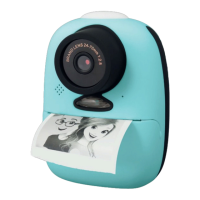
6. Press to print your photo.
You can apply lters to your photos and videos. When you are ready
to take a photo or lm, press the Up and Down keys and choose
your lter.
12


 To Next Page