HARNESS DESCRIPTION
Harness Description
OPERATING INSTRUCTIONS INITIAL DOWNLOAD
IMPORTANT: The steps on this page are performed on all part #s.
1. Make sure that your key is in the ignition in the o position before you plug the downloader into the vehicle.
The downloader will later prompt you to turn the key to the run position.
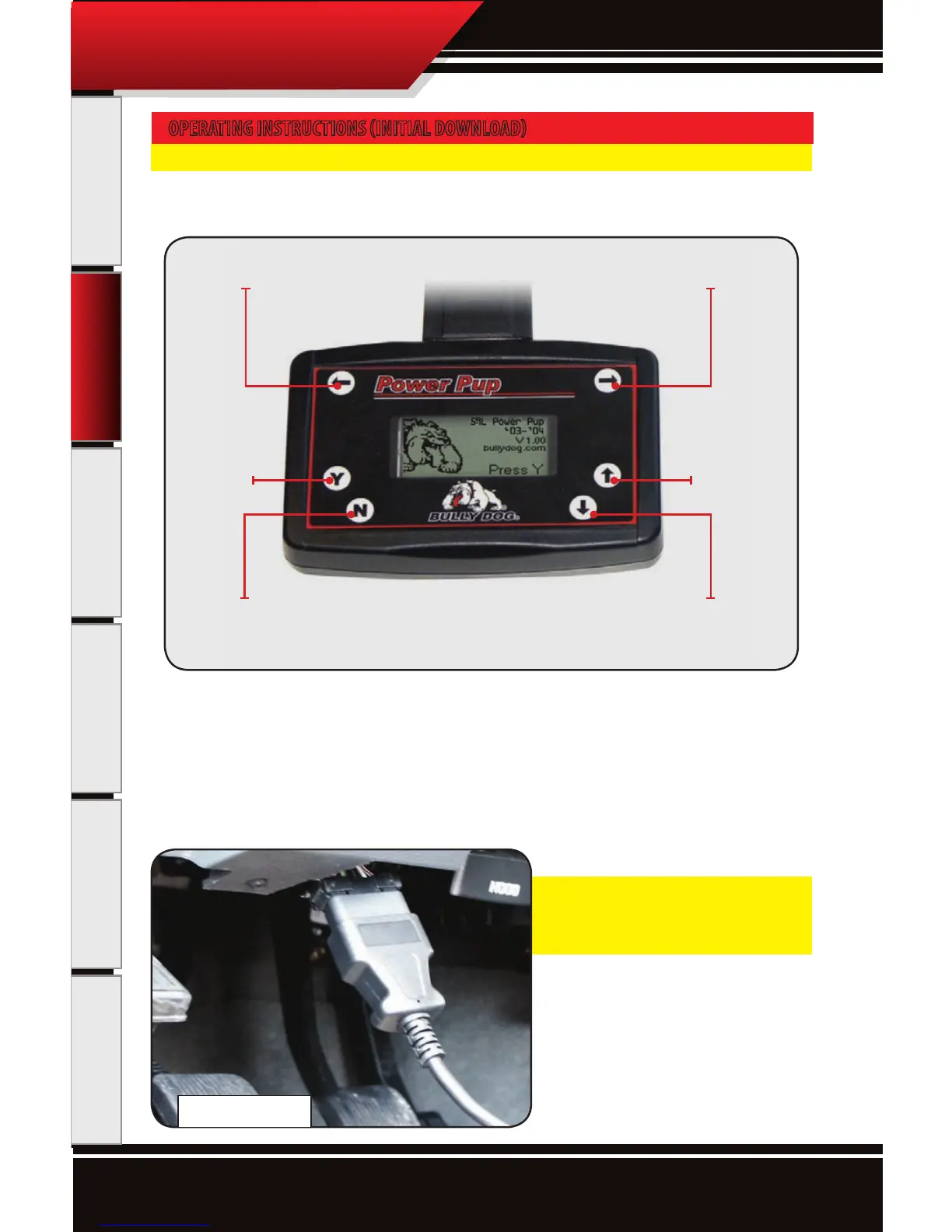
2. Connect the cable that comes with the downloader into the top of the downloader and then into the OB-
DII port. The OBDII port is the diagnostic port located underneath the dash on the driver side of the vehicle
(see OBDII Picture Below).
3. Watch the downloader light up to display its rst screen. Then follow the instructions given to you on the
screen of the downloader. The rest of these instructions cover the main points of operating the downloader,
but screen-to-screen guidance is listed on your Downloader.
If a Downloader is ever interrupted during
a download it may go into recovery mode.
refer to page 20 for recovery instructions.
Scroll Left Scroll Right
No/Exit Scroll Down
Yes/Enter Scroll Up
OBD II Port



 To Next Page