3
Carefully read and follow all notices on the equipment and in this manual. They were written for your
protection. All notices are to be kept in good condition. Replace any unreadable or damaged labels.
35710.0000
WARNING
HOT
LIQUID
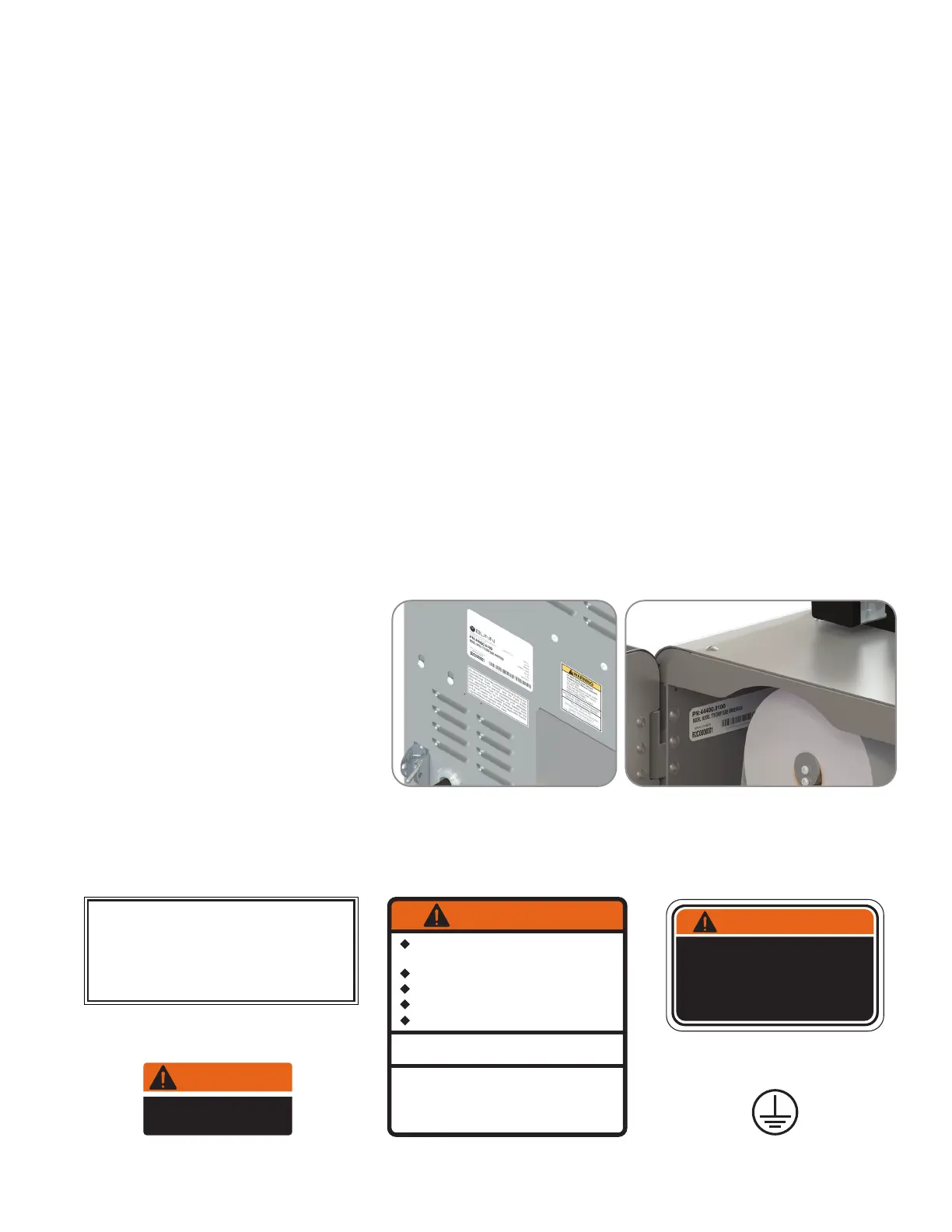
Locations of the Serial Number
The serial number is located on the
data plate at the rear of the machine
and inside front door on left side.
The complete serial number will need
to be documented on all work orders
and warranty tags.
CONTENTS
00656.0001
As directed in the International Plumbing Code of the
International Code Council and the Food Code
Manual of the Food and Drug Administration (FDA),
this equipment must be installed with adequate
backflow prevention to comply with federal, state
and local codes. For models installed outside the
U.S.A., you must comply with the applicable Plumb-
ing /Sanitation Code for your area.
00986.0000
WARNING
FAILURE TO COMPLY RISKS EQUIPMENT
DAMAGE, FIRE OR SHOCK HAZARD.
READ THE ENTIRE
OPERATING MANUAL BEFORE
USING THIS PRODUCT
00986.0000M 10/14 ©1994 Bunn-O-Matic Corporation
Use only on a properly protected
circuit capable of the rated load.
Electrically ground the chassis.
Follow national/local electrical codes.
Do not use near combustibles.
Do not deform plug or cord.
00824.0002
37881.0000
To reduce the risk of electric shock,
do not remove or open cover.
No user-serviceable parts inside.
Authorized service personnel only.
Disconnect power before servicing.
WARNING
USER NOTICES
Warranty ...........................................................................................................2
User Notices ....................................................................................................3
North America and CE Requirements .............................................................4
Site Requirements
Plumbing ....................................................................................................5
Water Treatment .........................................................................................5
Electrical Hookup .............................................................................................6
Initial Setup ......................................................................................................7
Filter Paper Installation ....................................................................................9
BUNNlink
Activation ..................................................................................................12
Registration ..............................................................................................14
Operating Interface ........................................................................................14
ADA Operating Interface ................................................................................16
VirtualTOUCH Operation ...............................................................................18
Optional Cashless Payment System ..............................................................20
Barcode Printer Setup ....................................................................................21
Filter Paper Removal .....................................................................................26
Care And Cleaning
Daily .........................................................................................................28
Weekly .....................................................................................................29
Active Notices ................................................................................................34



 To Next Page