Page 9
VIEWING ASSIGNED RECIPES, ASSET & SERIAL NUMBER
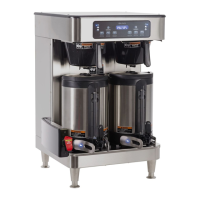
1. Make sure the "ENABLE BREW ON/OFF" switch is OFF (LED will not be lit).
2. Press and hold "BREW A" switch. The display will show the name of the recipe assigned to Brew A along
with "SWITCH NOT ON". This is to indicate that a brew cannot be initiated while the "ENABLE BREW ON/
OFF" switch is OFF on this side.
3. Make sure the "ENABLE BREW ON/OFF" switch is OFF. To view the asset number of the machine, press and
hold the left hidden button until the display reads: ANXXXXXX...ASSET NUMBER. Release the left hidden
button.
4. After a 5 second delay, the display will read: IC3XXXXXXX. This is the serial number of the machine.
TEA BREWING
1. Begin each brew cycle with a clean empty brew funnel and server. (Be sure the server lid doesn’t interfere
with the flow of dilution water.)
2. Insert a BUNN filter into the funnel.
3. Pour the packet of loose fresh tea leaves into the filter. Approximately three to five ounces is recommended
for three gallons of beverage.
4. Level the bed of tea leaves by gently shaking.
5. Slide the funnel into the funnel rails until it stops.
6. The ON/OFF must be ON. Select which batch size to brew.
7. Momentarily press and release the assigned BREW switch. There may be certain situations in which the
brew cycle will not begin when BREW is pressed:
a. SWITCH NOT ON - ON/OFF must be ON.
b. BREW TEMPERATURE TOO LOW – wait until heated or cancel BREW LOCKOUT option.
c. DISABLED - select different brew switch or batch size.
8. If none of the above messages are displayed, the display will read NOW BREWING and show time remaining
in brew cycle. The display will also show CONCENTRATE with batch size and brew button used while brew-
ing. When concentrate is finished brewer will advise that the concentrate step is complete and to press the
respective brew button again.
9. Following the brew will be a countdown of drip time DRIPPING which shows the time remaining until the
tea no longer drips from the funnel tip.
10. Pressing the respective brew button again will begin the dilution process, the display will read NOW BREW-
ING and show time remaining in brew cycle. The display will also show DILUTION with batch size and brew
button used while brewing.
11. Carefully remove the brew funnel and discard the tea leaves and filter only after visible dripping stops.
CLEANING
CAUTION – CLEAN AND SANITIZE YOUR ICED TEA BREWER DAILY
1. Remove and thoroughly clean the entire brew funnel. The funnel tip and screen must be free from any tea
particles or residue. Reassemble the funnel.
2. Remove and thoroughly rinse the sprayhead. The holes must be open and clear of any mineral deposits. Wipe
the sprayhead panel clean with a damp cloth.
NOTE – Any buildup on the sprayhead may restrict water flow, and impact your brewing. For consistently great
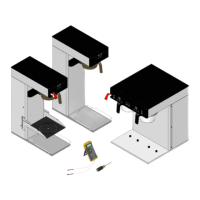
tea and coffee, clean sprayhead weekly with sprayhead cleaning tool (#38227.0000). Upon visual inspection it
may appear that light passes through all holes in the sprayhead, but a thin film of residue can pass light and still
impede water flow.
a. Remove sprayhead from brewer.
b. Use the pointed end of sprayhead cleaning tool to remove any mineral deposits from the sprayhead holes.
c. Insert the long end of sprayhead cleaning tool into the sprayhead fitting, and rotate several times to
remove any mineral deposits from the fitting.
3. The use of a damp cloth rinsed in any mild, nonabrasive, liquid detergent is recommended for cleaning all
surfaces on Bunn-O-Matic equipment. Do NOT clean this equipment with a water jet device.
CAUTION – DO NOT KEEP BREWED ICED TEA OVERNIGHT. THE SERVER MUST BE CLEANED DAILY.
CAUTION – When wiping hood down, be sure to avoid getting liquid or cleaner in USB receptacle.
48497.2 111017



 To Next Page
 Loading...