10
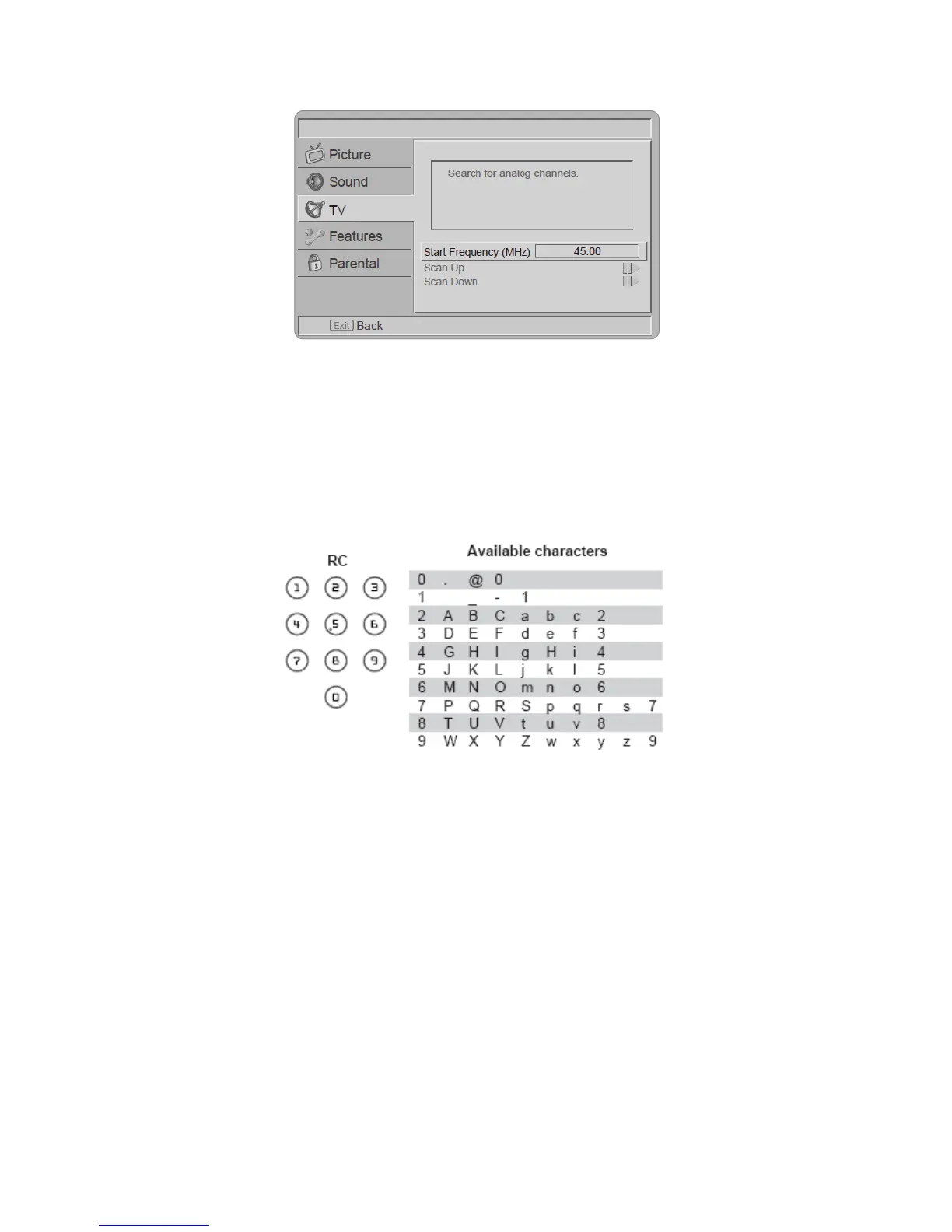
[Analog Manual Scan] - The television can be tuned-in manually using Analog Manual Scan. Use the number keys
to enter the Start Frequency to scan up or scan down.
[Channel skip] - To prevent certain programs from being viewed by pressing CH + / - buttons on the remote control,
the program position can be skipped. Tip: The skipped program may not be found by pressing CH + / - buttons but
can be access by pressing number buttons directly.
Tip: The skipped program may not be found by pressing CH Λ / V but can be accessed by pressing number
buttons directly.
[Channel sort] - Change the order of the Channel List.
[Channel Edit] - Enter the Channel Edit in the channels submenu to edit the channel number and channel name by
using the number buttons 0~9.
Note: The following RC number-mapping table will not be shown on the TV screen.
[Decoder (Analog only)] – Channel Decode support the Canal+ (paid television channel); however, the channel
also broadcast some un-encrypted programs. These programs without encryption can be viewed free of charge.
[Analog CH Fine Tune] - Select Analog CH Fine Tune in the Channels submenu to adjust the frequency.



 To Next Page