17
2.3 How to Connect
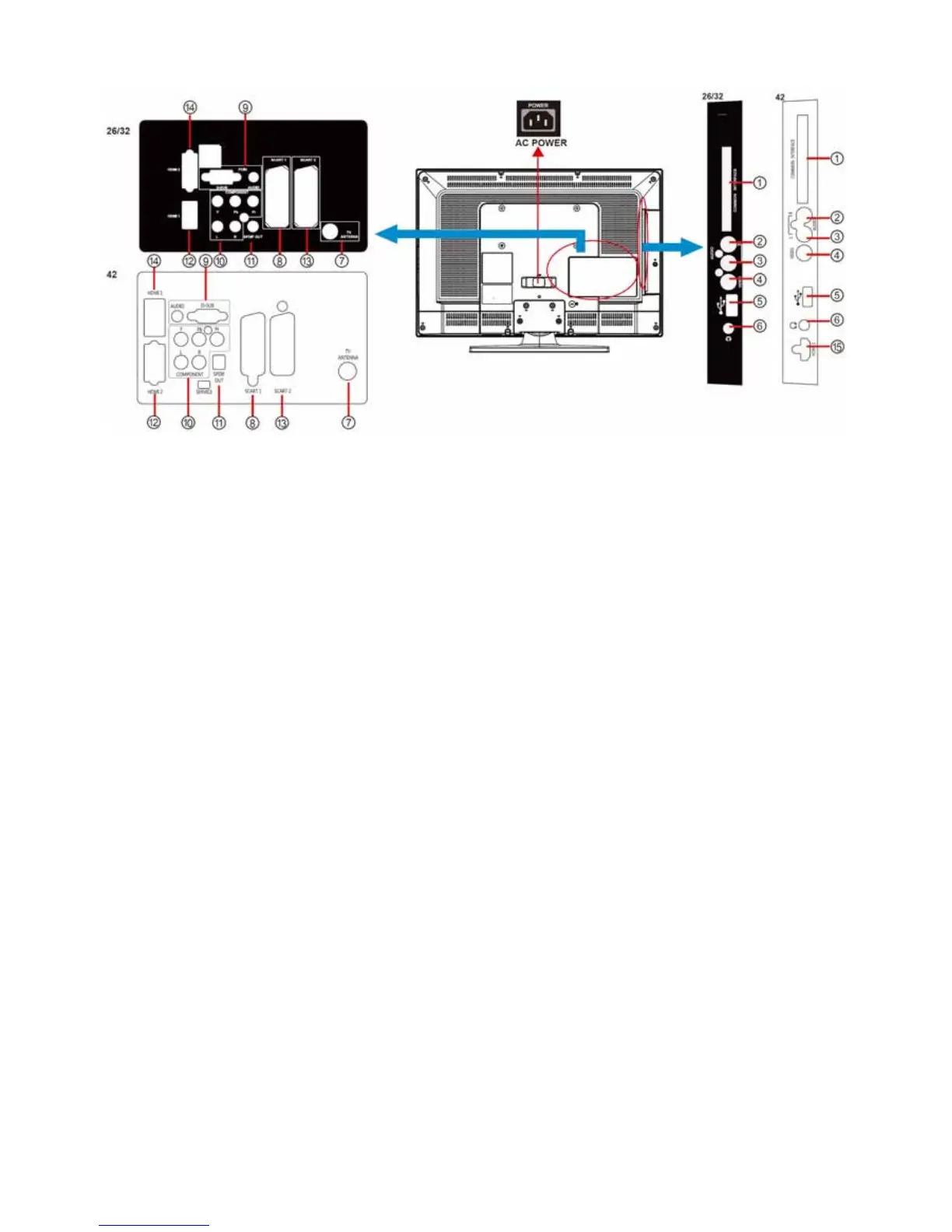
① COMMON INTERFACE (CI) – Conditional Access Module (CAM) use only. Please contact your service provider
for details.
②、③、④ AV IN – Connect the primary source for composite video devices, such as a VCR or video game. Use the
white and red connectors to connect the external audio from the same source.
⑤ USB – Technician service use only.
⑥ Earphone Output – Connect to the headphones. When the headphone is inserted to the plug, all the speakers
will be muted.
⑦ TV ANTENNA – Connect to an antenna or digital cable (out-of-the-wall, not from Cable Box) for Digital TV.*
⑧、
⑬ SCART – Connect the video recorder or decoder to the television. Full SCART transmits RGB, CVBS video
in/out, and audio in/ out; HALF SCART transmits S-Video, CVBS video in/out, and audio in/ out.
Note: SCART1/2 has monitor out. (CVBS/YPbPr/ATV/DTV)
⑨ PC IN – Connect the video and audio cables from a computer here.
⑩ COMPONENT (Y/Pb/Pr with Audio L/R) – Connect the primary source for component video devices such as a
DVD Player or set top box here.
⑪ SPDIF (Digital Audio Out) – When a digital audio signal is associated with the input selected for viewing, the
digital audio will be available on this SPDIF connection to your home theatre system.
⑫、⑭、⑮ HDMI – Connect the primary source for digital video such as a DVD multimedia player or set top box
through this all digital connector.
Once your equipment is connected, use the following procedure to view the input signal:
Press the SOURCE button on the remote controller to select the relevant source to view. (ex: Press YPbPr button to
select “YPbPr” if you have connected a video recorder to Component socket.)



 To Next Page