BCR31DAB
12
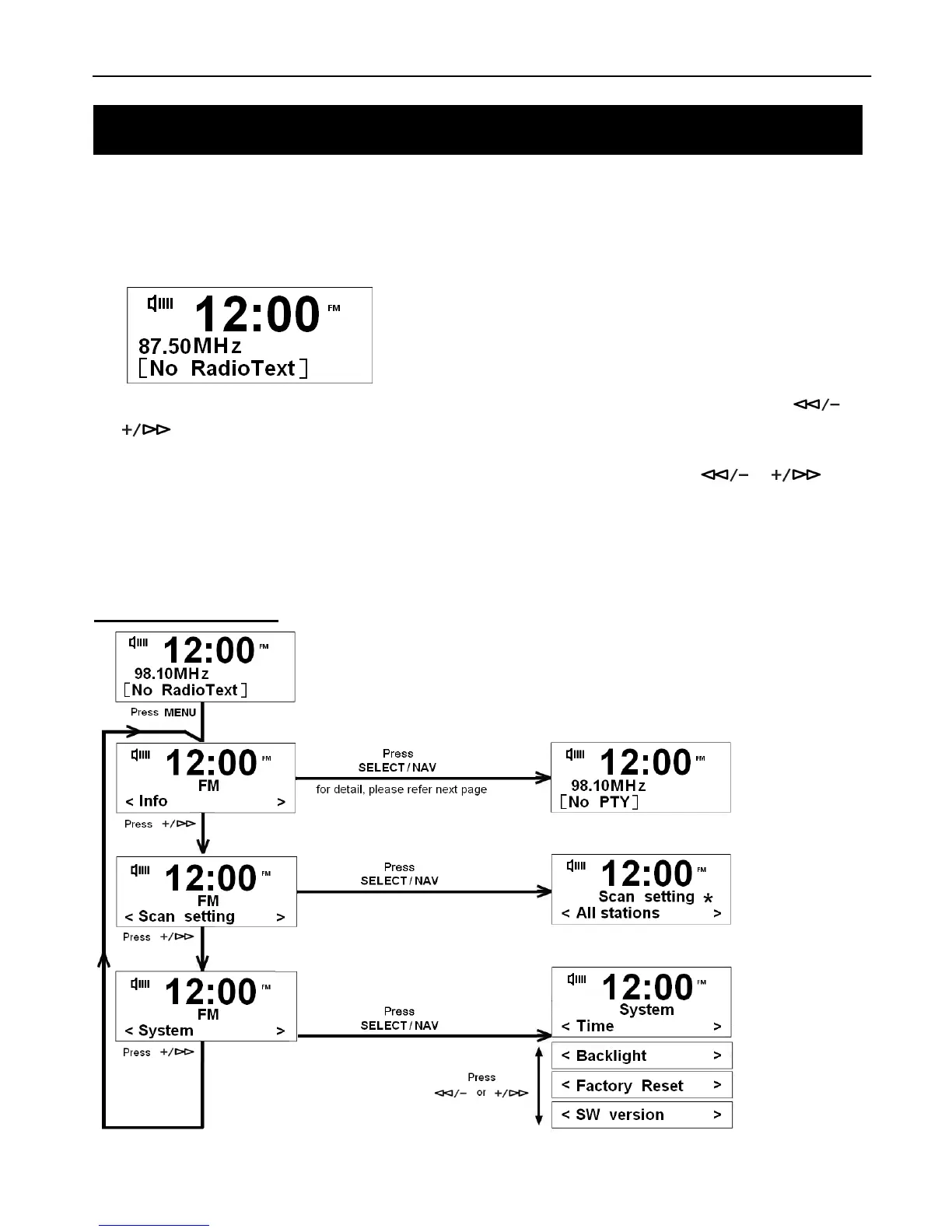
1. Press the DAB+/FM Button to switch to FM Mode from DAB+ Mode.
2. Once in FM mode, it will start at the beginning of the FM frequency range (87.50MHz) or it will play the last FM
station you were listening to.
3. To manually change the FM frequency, press the SELECT/NAV Button and then immediately press the or
to change the frequency by 0.05MHz.
4. To auto-search in FM Mode, press the SELECT/NAV Button and then press and hold the or
Buttons and it will skip forwards or backwards to the next available station.
@ Note: 1. The display will show the frequency changing until it stops on the next station.
2. After it reaches the end of the frequency range, it goes back to the start.
FM Menu Options



 To Next Page