EasyManua.ls Logo

Bush BFSAT02SD - Manual Channel Addition; Information and Language Menus

Bush BFSAT02SD
20 pages
Print Icon
To Next Page IconTo Next Page
To Previous Page IconTo Previous Page
Loading...
The menu system
06
Add Manual Channels
This menu allows you to manually add Free to
Air channels to the channel list.
DON’T FORGET! Manually added Free to
Air channels will not be shown in the
programme list.
Show Manual Channels
This menu allows you to see the manually added
Free to Air channels in the channel list.
DON’T FORGET! The default setting is not to
show manually added Free to Air channels.
The language menu
The language menu allows you to change the
default language settings for audio and subtitle
languages.
Use the arrow buttons to select a language
type, then press the [OK] button to select.
To select between English, Welsh or Gaelic use
the arrow buttons, then press the [OK] button
to select.

Select
F riday 13 Mar 17:35
Exit Menu
Language
Subtitle Language
Audio Language
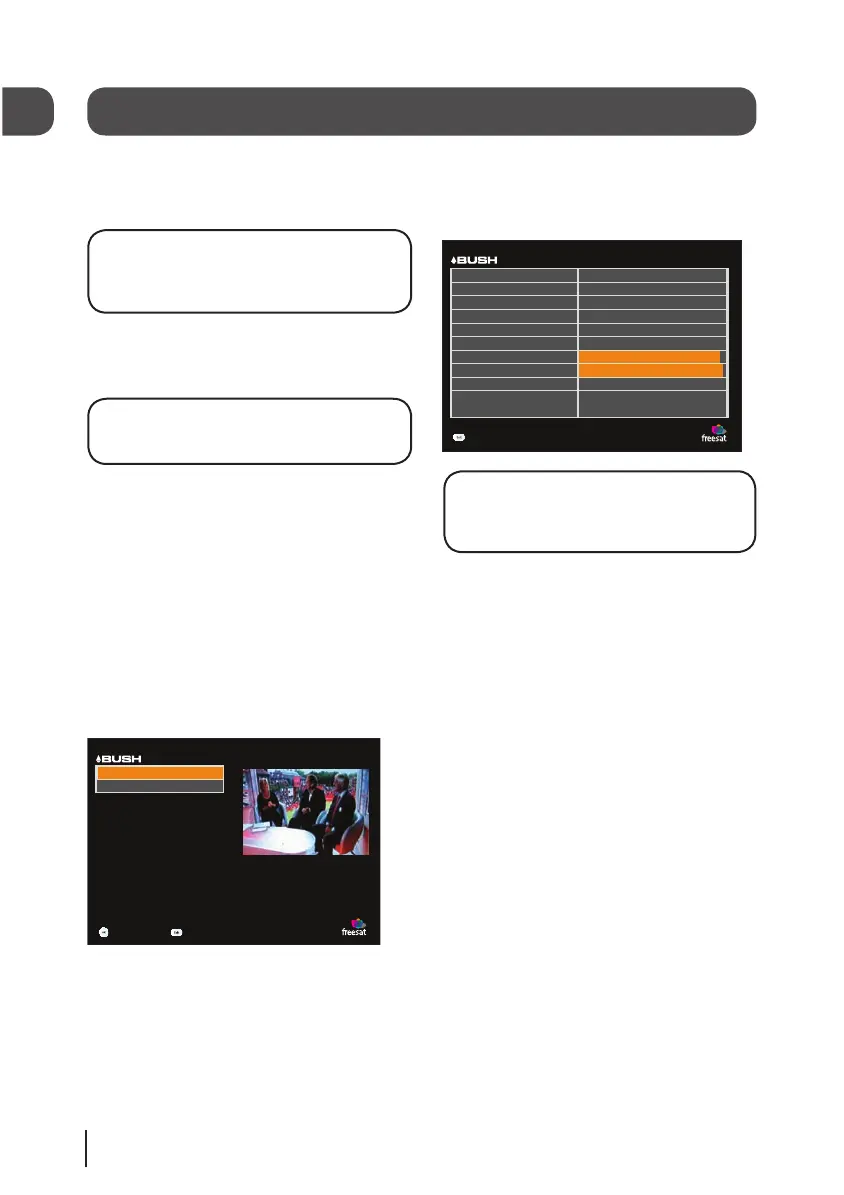
The information menu
This menu shows you information about your
digital box.
T u esday 17 Mar 15:35
Exit Menu
Inf ormation
Helpline Number
Signal Stre ngth
Signal Quality
Hard wa r e V e rsion
Software V e rsion
Post Code
Model Number
Manufacture r
Lock Indicator
Network ID
T r ansport Str e am
0871 2304695
1.0
0.5.1
CM77 7AZ
03
Bush
OK
003b
07fe
DON’T FORGET! It is useful to have this
information when contacting the call
centre.
11
BFSAT02SD IB-Rev3-140709.indd 12 14/07/2009 09:25:55

Other manuals for Bush BFSAT02SD

Related product manuals