P a ge Down
P a ge Up
+24 Hrs-24 Hrs
W a tch
F riday 13 Mar 17:10
17:00 - 18:00 The W e akest Link. Anne Robinson presents the
quick-fire gener a l knowledge quiz in which contestants must decide at
the end of each r ound which of their number should be eliminated. [S]
Exit Menu
101 BBC 1 East (E)
102 BBC 2 England
103 ITV1 Anglia S
104 Channel 4
105 Five
106 BBC THREE
107 BBC FOUR
108 BBC HD
17:00 F ri 13/03 19:00
Flog It! Egg Heads P riceless
This is BBC THREE
This is BBC FOUR
The W e akest Li
BBC News Look East
Britian’s Best Di Anglia T o night ITV Evening Ne
The P a ul O’Gr a d The Simpsons Hollyoaks
Five News Neighbours Home and Away Monkey
In the Nig In the Nig Doctors After Y o u
When the reminder time is reached, the digital
box will automatically switch over to the correct
channel and your programme will start.
DON’T FORGET! To cancel a programme
reminder, highlight the programme where
the reminder has been set, and press the
[OK] button. The clock icon will disappear
and the reminder will be cancelled.
Using the reminder
You can use the reminder function to let you
know when a programme is going to start.
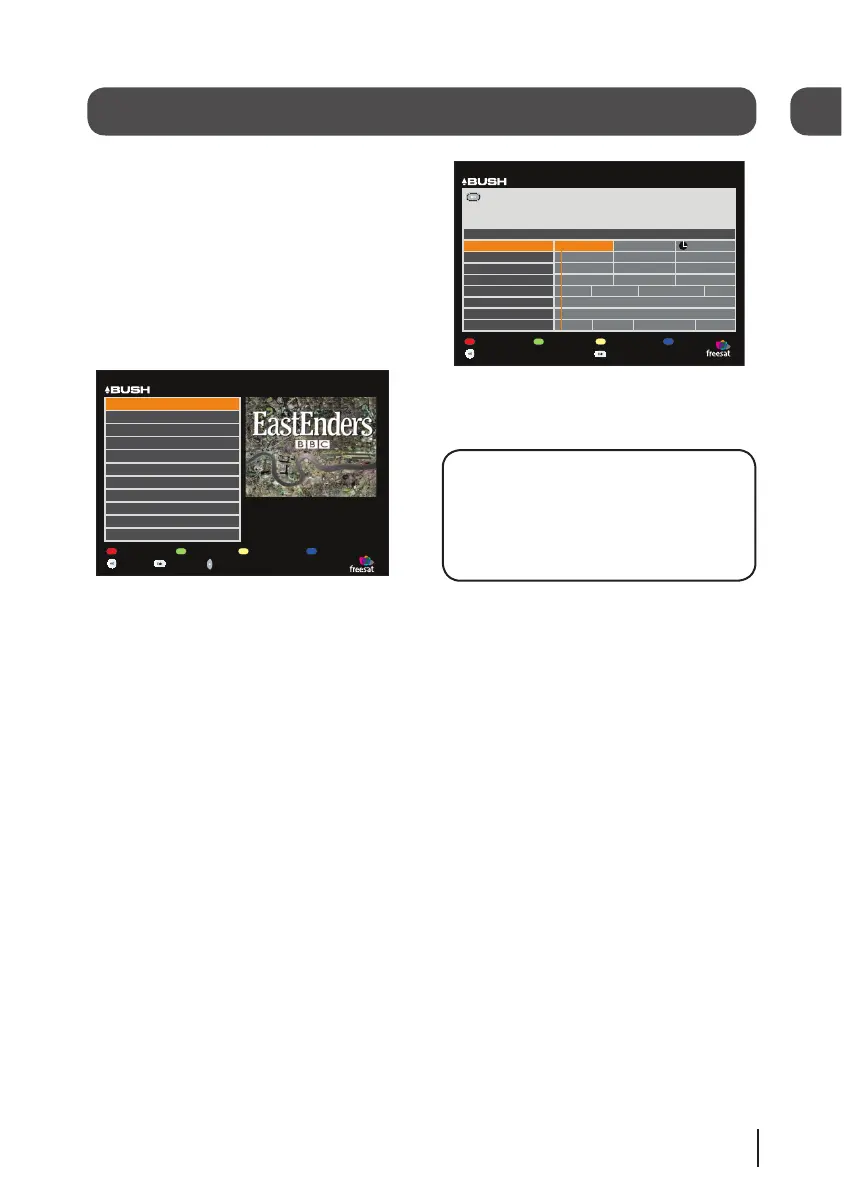
Press the [GUIDE] button on the remote control
and then press the [OK] button.
The programme list will be displayed. The
channel and programme that you are currently
watching are highlighted in orange.
Show TV List
Show F a v List
Edit F a v List Lock Channel
W a tch
T u esday 17 Mar 20:15
Exit Menu
101 BBC 1 East (E)
102 BBC 2 England
103 ITV1 Anglia S
104 Channel 4
105 Five
106 BBC THREE
107 BBC FOUR
108 BBC HD
TV Listings
110 BBC ALB A
113 ITV2
114 ITV2+1
Delete
Using the arrow buttons on the remote control,
move to a different programme that you want to
set as a reminder.
Press the [OK] button to set the reminder.
When the reminder has been set a clock icon is
shown before the programme name.
07
12
BFSAT02SD IB-Rev3-140709.indd 13 14/07/2009 09:25:56


 To Next Page