Using Your Vaccum Cleaner
14
Emptying the dust container
When the dust container look full or the cleaner loses suction, the
dust container will need to be emptied as follows:
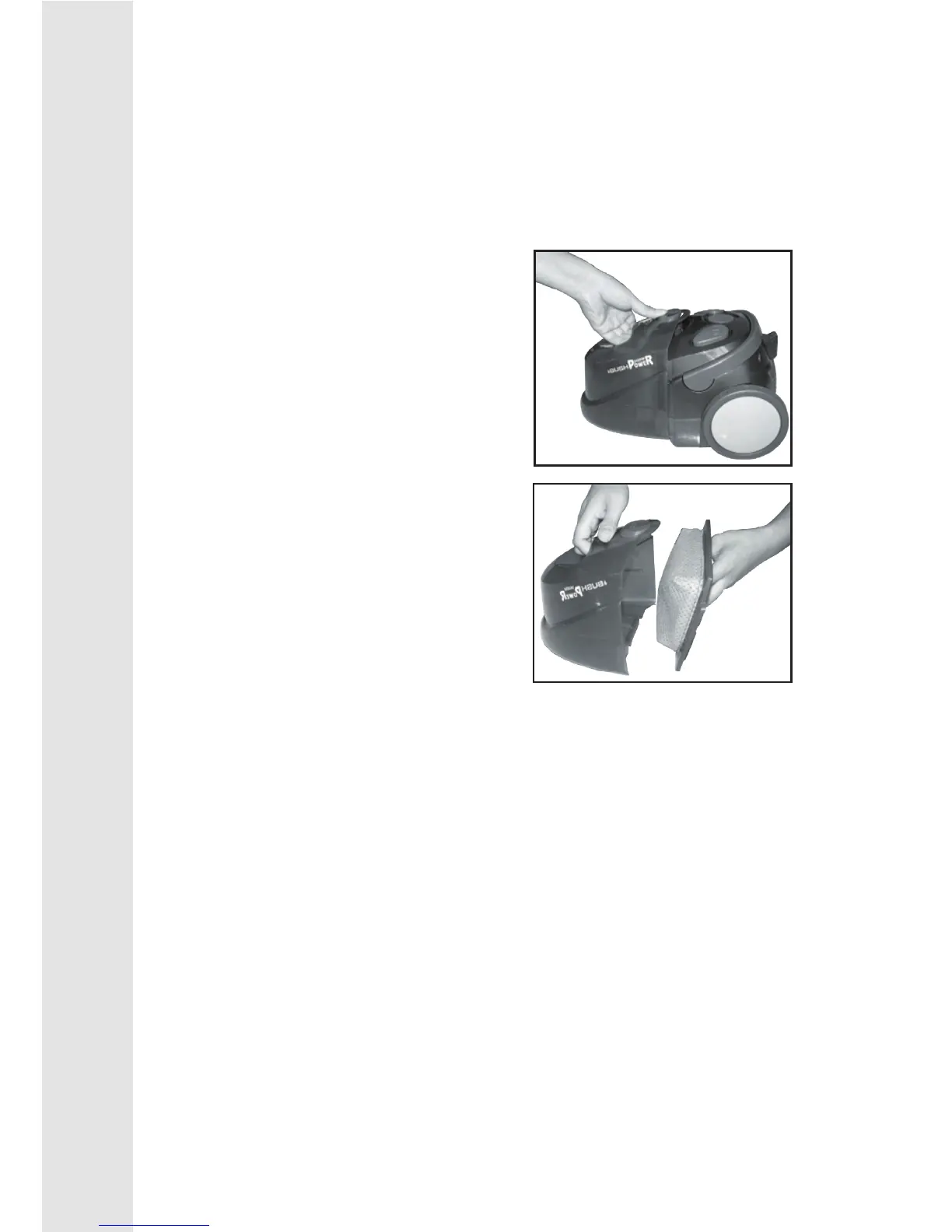
1. Unplug the cleaner and open the
dust container by pushing in the
release button.
2. Pull the dust container away from
the cleaner, then hold the container
over a refuse container and remove
the lter.
3. Empty the contents of the dust container, then shake the lter
well taking care not to breathe in the dust. If the lter is blocked
with ne dust, it may be washed in warm soapy water. Rinse
well and allow to dry naturally. DO NOT force dry.
4. Replace the dust container lter, ensuring that it is latched


 To Next Page