13
Uninstall the Software
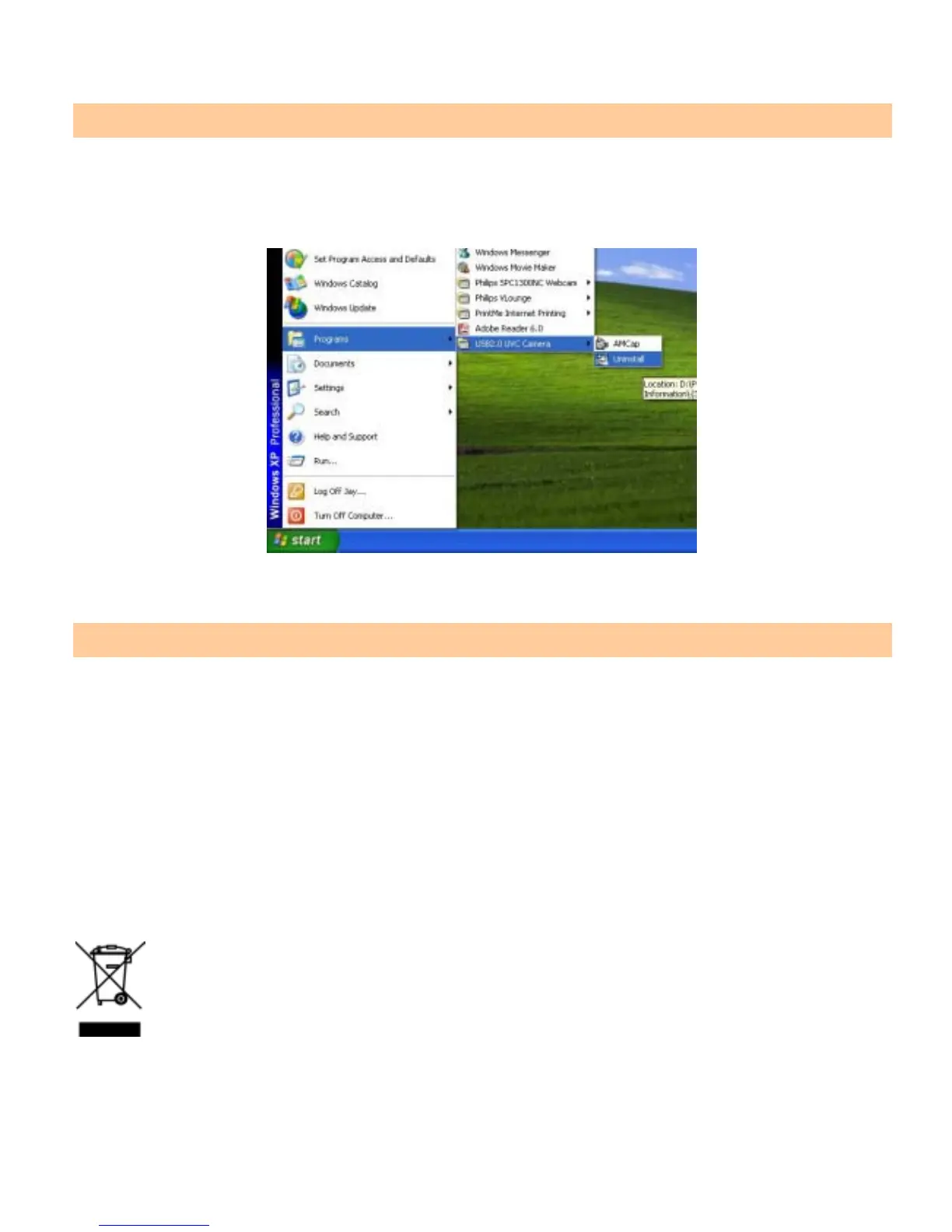
1. Click “ Start” from the task bar and choose “ Programs”
2. Select “USB2.0 UVC Camera” Æ “Uninstall” and follow the instructions.
Maintenance
Unplug the webcam before cleaning the unit.
Only use a soft damp cloth to clean the plastic case.
Do not touch the lens as it may get damaged.
Never use harsh or corrosive cleaning agent or sharp objects when cleaning.
Store the unit in a cool an dry place and avoid the direct sun light.
Always unplug it if it is not in use for long time.
WASTE ELECTRICAL PRODUCTS SHOULD NOT BE DISPOSED OF WITH HOUSEHOLD
WASTE. PLEASE RECYCLE WHERE FACILITIES EXIST. CHECK WITHYOUR LOCAL
AUTHORITY FOR RECYCLING ADVICE.


 To Next Page