- 12 -
• To cancel mute, you can press button again or
use the V +/- buttons.
On-Screen Information
• You can press the INFO button to display on-screen
information. Details of the station and current
programme will be displayed on the information
screen.
• The information screen will then display the current
event name, next event name, starting and ending
time, duration bar, programme mode and the
channel number and name.
Instant Recording
• Press (RECORD) button to start recording an
event instantly while watching a programme. The
following OSD appears on the screen:
• Record OSD will then be displayed for a short time
and the current event will be recorded.
• Press (STOP) button to cancel instant recording.
The following OSD will be displayed:
Select Yes by using “ ” or “ ” / OK buttons to cancel
instant recording.
Note: When two recordings are active, you can only
watch channels which are on the same multiplexes.
No upper limit is dened to schedule recordings for
events by Instant Recording.
Time Shifting (Pause Live
Recording)
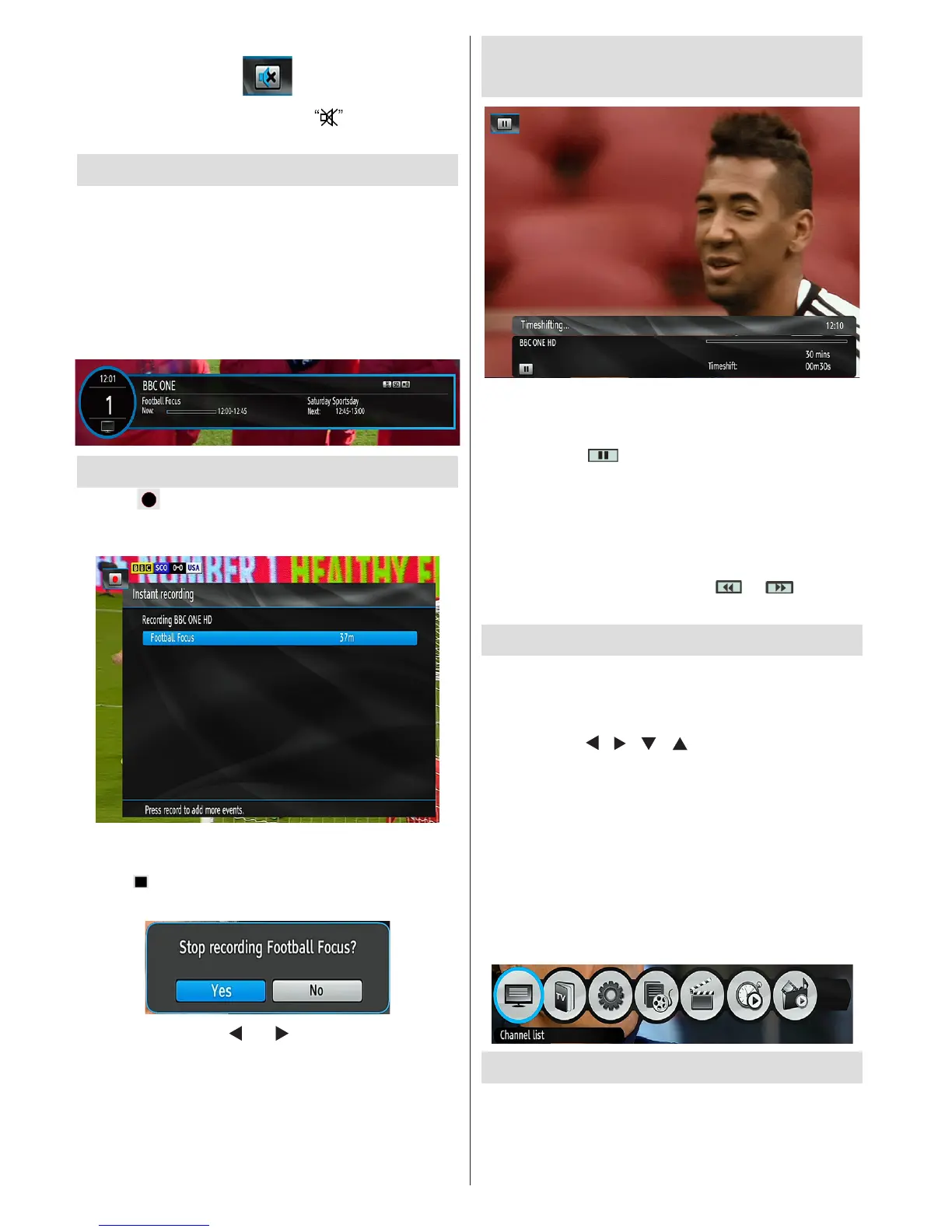
• Pause Live Recording is a feature that enables you
to pause a live broadcast. The live broadcasting can
be stopped any time.
'•Press PAUSE button to timeshift the broadcasting.
In the INFO banner the timeshift will commence.
• The duration of Timeshift can be adjusted from
Recordings in the Conguration menu.
• In order to stop the timeshift press PLAY, PAUSE or
OK button. The paused recording can be watched in
different speeds by means of or keys. To
cease the timeshifting press STOP button.
Menu System
Viewing the Main Menu
• Press the MENU button to view main menu.
• You can move between menus by using the
navigation ( / / / ) buttons on the remote
control.
• You can enter, select or conrm a menu option by
using OK button.
• In some sub-menus, you can use BACK button to
return to a previous menu screen.
• To exit from a menu screen, you can press MENU
button.
• The following items are located in the main menu
screen:
Managing Stations: Channel List
• The set top box keeps all stored stations in the
Channel List.


 To Next Page