- 18 -
Pause: Pauses slideshow
Play ( button): Resumes the slideshow.
Stop ( button): Back to the le list.
Rotate ( buttons): Rotate the picture using up/
down buttons.
Previous/Next ( / buttons): Jumps to previous
or next le.
Info: Shows/hides the info bar.
RED: Activates Shufe mode.
GREEN: Activates Loop mode.
Settings
• Select Settings from the main menu by using“ ”/“
” buttons and press OK button to display.
Recordings
To congure the playback/recording options select
the Recordings option from the conguration menu.
Play ( Button) : Play les
Pause ( Button) : Pauses the playback
Stop ( Button) : Stop the playing le
Rewind ( Button) : Goes backward
Fast Foward ( Button) : Goes foward
GREEN : Jumps to the selected time
LANG : Set subtitle or audio
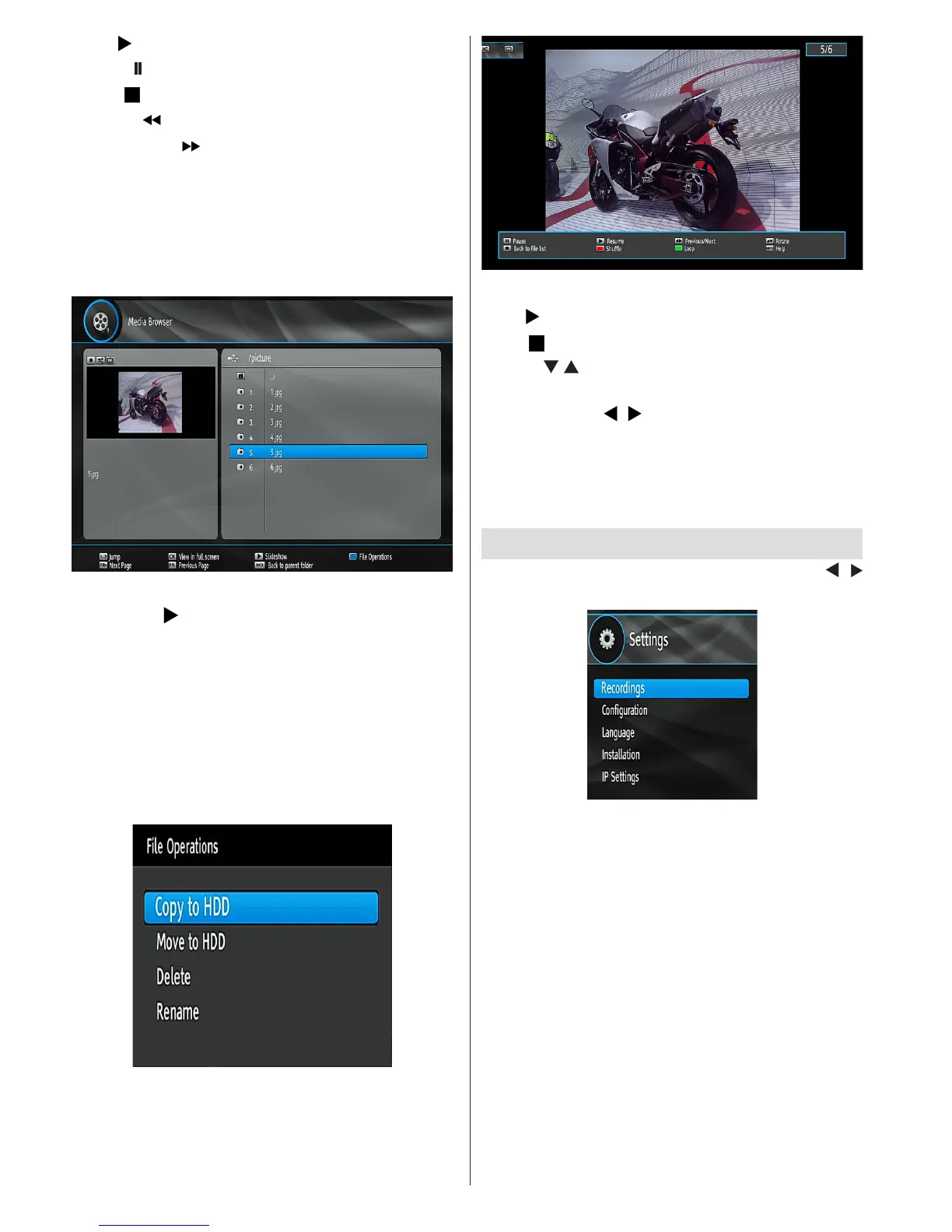
Playing JPEG Files
OK: Shows the selected image in full screen.
Slideshow ( button): Starts slideshow.
Jump (Numeric buttons): Jumps to the selected le
using the numeric buttons.
Next page / Previous Page: Jumps to previous or
next page.
Back: Goes back to main folder
Blue Button (File Operations): Displays options
of Delete, Rename, Move to HDD, Copy to HDD.
Press BACK to exit.
Slideshow Options


 To Next Page