3
section of these instructions, or online at www.bush-support.com If you still require further assistance, call one of our experts on 0345 600 3021.
If you require any technical guidance or find that your product is not operating as intended, a simple solution can often be found in the
Troubleshooting
Contents
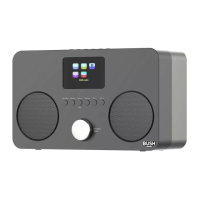
You’ll soon be enjoying your new Internet Radio with Bluetooth.
It all begins here, with your instructions. Don’t worry, there’s
nothing too technical coming up. Just simple, step-by-step
guidance to get you up and running quickly. Sound good? Then
let’s get started.
Help and Guidance
We’re here to help you get the most from your Internet Radio with Bluetooth. Should you
require any guidance, a simple solution can often be found online at:
www.bush-support.com
If you still require further assistance, call one of our experts on 0345 600 3021.
1
Safety information
General safety information 8
Power source 8
Ventilation 9
Heat sources and flames 9
2
Getting to know your Internet Radio with Bluetooth
Your Internet Radio with Bluetooth 12
Connection 15
Initial set-up 15
Connect to a Bluetooth device 18
Power on 19
Power off (Standby) 19
Change the mode 19
Adjusting the volume 20
Using headphones 20
3
Using your Internet Radio with Bluetooth
Internet Radio mode 24
Storing Internet radio station presets 25
Bluetooth mode 27
Listening to Music/Audio using Bluetooth 28
UPnP mode 28
Setting up your Windows computer to allow access to your audio files 29
Playing audio files using UPnP mode 29
Menu options 30


 To Next Page