8
9
Click to Return to the Table of Contents Click to Return to the Table of Contents
PLAY NOW - ROUND SETUP
Return to the Bushnell Golf Mobile App home page and select
“Play Now” to Start Round.
Choose a course from a list of Recent, Nearby, or Open courses. If
you are continuing a game, choose “Continue Round”.
• Round Name: The round can be given a custom name. Click
“Round #” and type what name you would prefer.
• Date: The current day is the default “date”, but changing the
date of the game can be done by clicking on the calendar
icon.
• Course Name: Choose a course from a list of Recent, Nearby
or Open courses.
• Score Format: Choose Stroke Play or Stableford.
• Score Mode: Choose Basic or Advanced.
• GPS: GPS must be enabled to view the hole layout.
• Holes: Choose Front 9, Full 18 or Back 9.
• First Tee Introduction: Default is Off. Turn On and add players’ names.
See full explanation below.
• Starting Hole: Choose the hole you are starting the round on.
• Display Net Score: On or Off.
• Tee Box: Tee Box information is available if net scoring is turned On.
• Handicap: Enter personal handicap.
• Course Handicap
FIRST TEE INTRODUCTION SETUP
1. Enable First Tee Introductions in Round Setup.
2. Tap Add Golfer to add a new player.
3. Tap Name to change a player’s name.
4. Tap Speaking icon on the right of the player’s name to edit the
crowd response for the player’s introduction.
5. Tap Start Round at bottom of screen to begin.
FIRST TEE INTRODUCTION & CUSTOM SOUND BITES IN ROUND
1. Tap the Speaker icon on the upper right of the screen to access Sound Bites and
Introductions.
2. The Announcement Volume for Sound Bites and First Tee Introductions can be adjusted
here.
3. Custom Sound Bites can be played individually by tapping the Play button to the
right. Also, see the “Favorite” designation for the Sound Bite. For example, click the
remote Bushnell Golf button once if the Sound Bite is “Favorite One”. If the Sound Bite
is “Favorite Two”, click the remote Bushnell Golf button twice. See the Remote button
functions on page 6.
4. First Tee Introduction engages when the round is set near the starting hole tee box. Tap
the Bushnell Golf button on the remote to start First Tee Introductions. Then tap the
button after each player’s announcement to move to the next player.
5. Tap on the Speaker icon to access Introductions. Click on Restart
Introduction to reset the First Tee Introduction sequence.
6. Tap the Speaking icon to change the Crowd Response for that
player’s First Tee Introduction.
Speaker icon: access to Messages
and First Tee Introductions
BITE MAGNETIC MOUNT
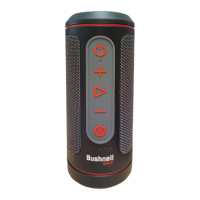
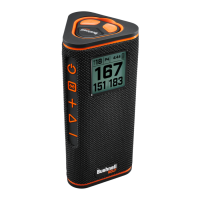
The Wingman View features a powerful BITE magnet incorporated into its housing, which allows the
device to be securely attached to a golf cart bar or frame.
WARNING: BITE FEATURE INCLUDED WITH DEVICE CONTAINS A NEODYMIUM
MAGNET. MAGNETS COULD AFFECT THE FUNCTIONING OF PACEMAKERS AND
IMPLANTED HEART DEFIBRILLATORS. IF YOU USE THESE DEVICES, KEEP SUFFICIENT
DISTANCE FROM MAGNET. WARN OTHERS WHO WEAR THESE DEVICES FROM GETTING
TOO CLOSE TO MAGNETS.
• Magnet may lose part of its adhesive force permanently if exposed to temperatures above
175º F (80º C).
• Magnets produce far-reaching, strong magnetic eld. They could damage TVs, laptops,
computer hard drives, credit and ATM cards, data storage media, mechanical watches, hearing
aids, and speakers. Keep the unit away from devices and objects that could be damaged by
strong magnetic elds.
• Magnets have strong magnetic elds which can pinch skin and ngers. Use caution when
attaching the unit to a metal bar.
CLEANING AND GENERAL CARE
IMPORTANT NOTE: Remove all cable connections and close the port protection cover tightly after charging and before
use to ensure the Wingman is water resistant.
Follow these tips for proper cleaning and maintenance:
• Blow away any excess dust or debris on exterior (or use a soft brush).
• To remove dirt or nger prints, clean with a micro-ber cloth. The Wingman View is water resistant, but should not be
exposed to heavy rain or other direct streams of water, and will not withstand submersion in water or other liquids.
• When you are not using the speaker/remote, please store it in a secure, dry indoor location for additional protection.


 To Next Page