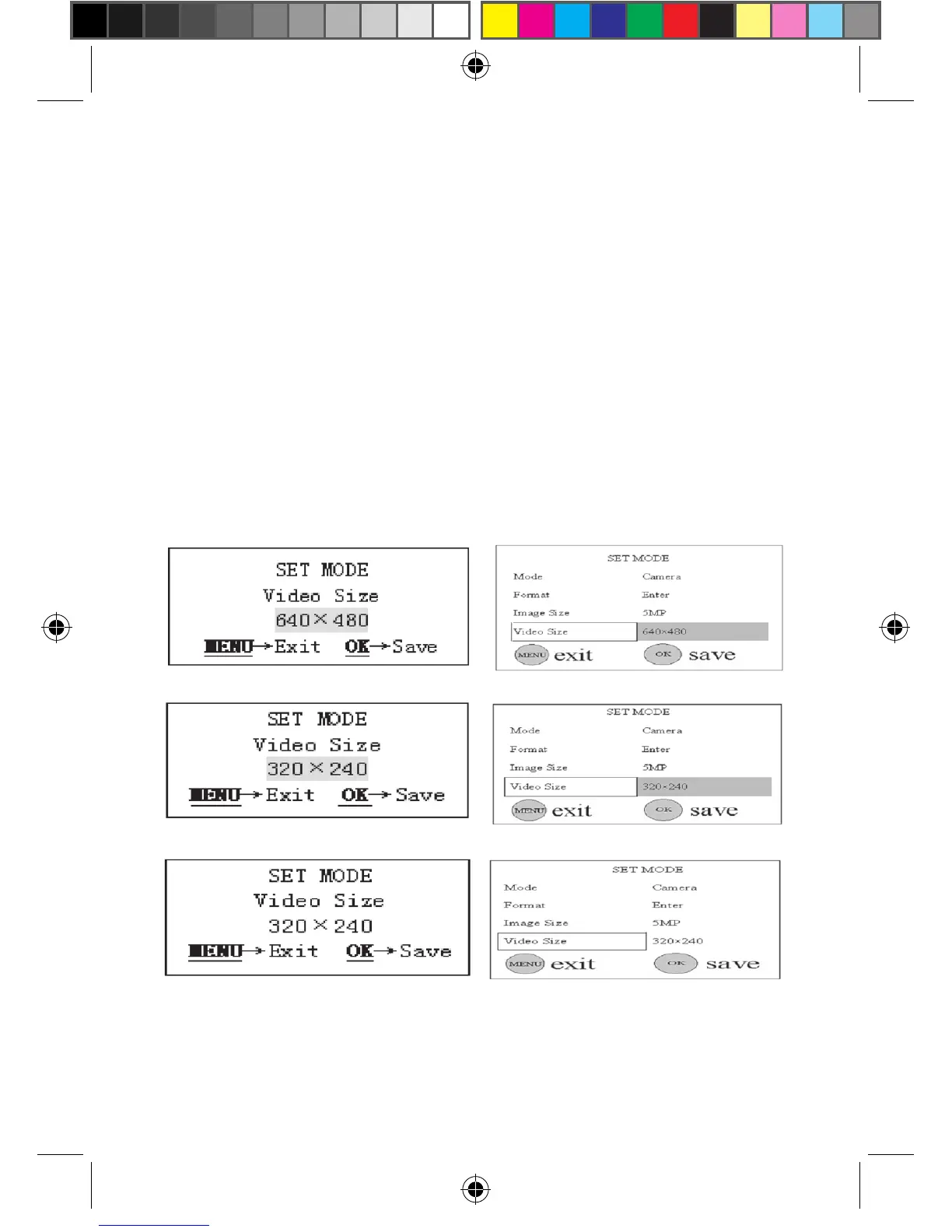
4.1.4 Setting Video Size (Resolution)
This parameter also has two values: VGA (640×480)and QVGA (320×240).
The default value is “640x480” (VGA). The following shows you how to set
video size as “320×240” provided that the previous value is at “640x480”:
a) Push the UP or DOWN key until the parameter “Video Size”
appears, shown in the Fig. 8(a) and 8(1).
b) Push the RIGHT or LEFT key, the value of the parameter will be
changed to “320x240”, shown in the Fig. 8(b) and 8(2).
c) Press OK key to save the current setting or MENU key for canceling
setting and exiting. After pressing OK key the selected value will
be no more highlighted, shown in the Fig. 8(c) and 8(3).will be no
more highlighted, shown in Fig. 7(c) and 7(3).
Figure 8: Setting Video Size (Resolution)
(a)
(c)
(b)
(1)
(3)
(2)



 To Next Page