12
“recognize” the Yardage Pro GPS unit when
you connect it.
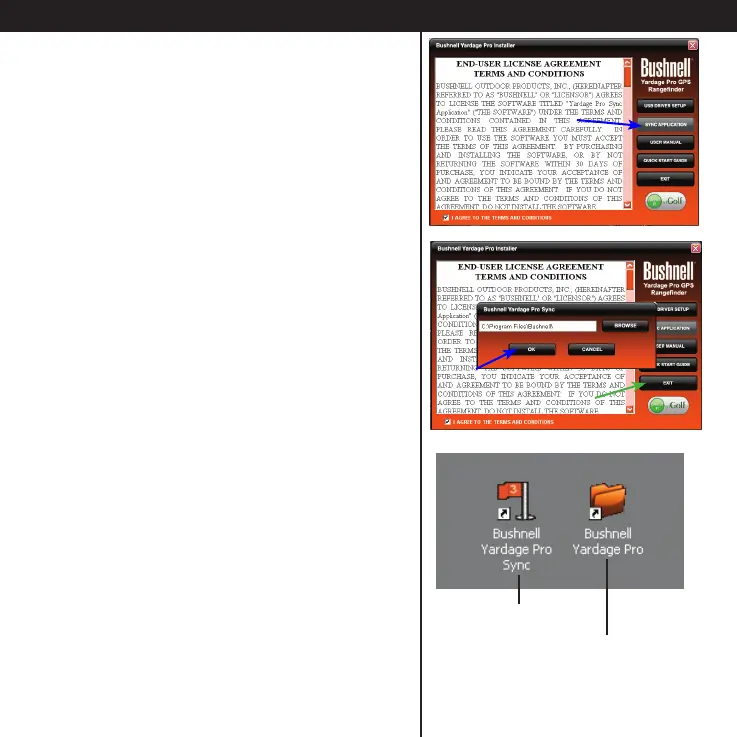
• After you’re done installing the USB Driver,
Click SYNC APPLICATION.
• Don’t change the default “Program Files\
Bushnell” destination for the application le,
and click OK to install the Sync Application.
• When the installation is complete, click
EXIT.
• You now have two new shortcut icons on
your computer’s desktop screen, one for the
Bushnell Yardage Pro Sync application (golf
ag icon), and a folder icon named “Bushnell
Yardage Pro”.
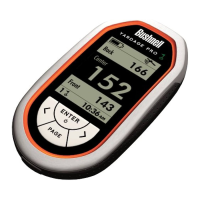
The Yardage Pro Sync application is a PC
software program that lets you transfer the
stored course data to the Yardage Pro GPS
unit, and perform other functions.
The “Bushnell Yardage Pro” folder will be
used to store golf course GPS data that you
download from the iGolf.com website.
Installing the Software
Desktop icons After installation
Shortcut for Yardage
Pro Sync application
Shortcut to folder used to save
golf course GPS downloads
(data les from iGolf.com)





 To Next Page